 repowise
 anthropics/claude-agent-sdk-demos

anthropics / claude-agent-sdk-demos
github.com/anthropics/claude-agent-sdk-demosIndexed at 826b268Up to date with upstream
What is claude-agent-sdk-demos?
claude-agent-sdk-demos is a collection of local demonstration applications for building AI-powered applications with the Claude Agent SDK. The demos cover email assistance, spreadsheets, research, chat, resume generation, session APIs, and visual question previews. The repository uses JavaScript and TypeScript with Bun or Node.js 18+ and includes React and Express in the Simple Chat App.
Written by a model from the README and the source
Code health
Health scores land with the first index: complexity, duplication, coverage, churn and ownership across every file.
Use anthropics/claude-agent-sdk-demos in your agent
Point Claude Code, Cursor, Codex or VS Code at this repository. Your agent gets the index this page is built from: cited answers, callers, history and health for any file.
- 1.In Claude, open Customize → Connectors, click +, then Add custom connector. On a Team or Enterprise plan an owner adds it first under Organization settings → Connectors.
- 2.Paste the server URL below as the Remote MCP server URL, then click Add.
- 3.Click Connect. A Repowise sign-in window opens. Approve access.
- 4.Repowise's tools are now available in your Claude chats.
Connect with one click. Sign in with Repowise (OAuth), no API key to copy. Works in Claude on the web, desktop, and mobile.
Docshttps://api.repowise.dev/mcp/anthropics/claude-agent-sdk-demos
This repo is public, so anyone with a Repowise account and an API key can connect.
Try asking
- get_overview()
- get_answer("how is claude-agent-sdk-demos put together?")
- get_why("why is claude-agent-sdk-demos structured this way?")
Explore claude-agent-sdk-demos
- DocumentationModule-by-module documentation, written from the source.
- ArchitectureDependency graph, layers and third-party dependencies.
- Code healthEvery file's score and the findings behind it.
- CommitsEach commit's effect on code health.
- OverviewEverything else the index found: contributors, decisions, what changed this week.
Key features of claude-agent-sdk-demos
- Email Agent displays an inbox, searches emails agentically, and provides AI-powered email assistance.
- Excel Demo demonstrates working with spreadsheets and Excel files using Claude.
- Research Agent coordinates specialized subagents to research subtopics and synthesize detailed reports.
- AskUserQuestion Previews renders question options as visual HTML preview cards and demonstrates plan mode steering.
- Simple Chat App provides a React and Express chat interface with WebSocket streaming responses.
- Resume Generator creates a one-page .docx resume from web-search findings about a person.
How anthropics/claude-agent-sdk-demos works
Each demo is organized in its own directory and has dedicated setup instructions. The email-agent demo connects to IMAP to display an inbox, search emails agentically, and provide assistance. The research-agent demo divides requests into subtopics, runs parallel researcher agents, and synthesizes their findings into reports. The simple-chat-app demo connects a React interface and an Express server over WebSocket for streaming conversation responses. The ask-user-question-previews demo sends SDK questions from a canUseTool callback to a browser over WebSocket and renders HTML preview cards. The hello-world-v2 demo uses separate send() and stream() operations for multi-turn conversations and session persistence.
Getting started with claude-agent-sdk-demos
- Enter the repository directory.
cd claude-agent-sdk-demos - Choose a demo directory.
cd email-agent # or excel-demo, or hello-world - Follow the selected demo's setup and usage instructions.
Commands copied from the README
anthropics/claude-agent-sdk-demos FAQ
What is claude-agent-sdk-demos?
claude-agent-sdk-demos is a collection of demonstrations for building AI-powered applications with the Claude Agent SDK. Its demos cover email, spreadsheets, research, chat, resumes, sessions, and visual question previews.
How does claude-agent-sdk-demos work?
claude-agent-sdk-demos provides separate demo directories with application-specific flows. Examples connect SDK agents to IMAP, WebSocket browsers, React and Express interfaces, spreadsheet files, or web-search-based document generation.
How do I install claude-agent-sdk-demos?
claude-agent-sdk-demos is started by cloning the repository, entering its directory, choosing a demo, and following that demo's setup instructions. The prerequisites are Bun or Node.js 18+ and an Anthropic API key.
What language is claude-agent-sdk-demos written in?
claude-agent-sdk-demos uses JavaScript and TypeScript. Its Simple Chat App also uses React and Express.
How is the claude-agent-sdk-demos code organized?
claude-agent-sdk-demos organizes each demonstration in its own directory with dedicated setup instructions. The directories cover email-agent, excel-demo, hello-world, hello-world-v2, research-agent, ask-user-question-previews, simple-chat-app, and resume-generator.
Who is claude-agent-sdk-demos for?
claude-agent-sdk-demos is for developers learning ways to build AI-powered applications with the Claude Agent SDK. The examples are intended for local development only and not for production or use at scale.
The summary, features and answers on this page are written by a model from the README and the source, and refreshed with each index.
About this page
Get a page like this for your own codebase
Repowise built this map of anthropics/claude-agent-sdk-demos from its source and git history. It parses every symbol, draws the dependency graph, scores each file's health from complexity, duplication, coverage and churn, finds hotspots and owners in the history, and writes documentation for every module. Your coding agent reads the same index over MCP, so its answers cite real files.
Prefer local? pip install repowise && repowise init indexes your own checkout, no account needed.
Maintain anthropics/claude-agent-sdk-demos?
Claim this page, add a badge to the README, or re-index it.
Claim this page
Sign in with GitHub and we check that you are an admin or maintainer of anthropics/claude-agent-sdk-demos. Then add a badge to the README that links readers here.
Add a badge to your README
Every badge is public, cached, and updates on its own after every index. Nothing to install.
Repowise badge
Links to this page, with no score on it. Adding it also re-indexes the repo every week.

[](https://repowise.dev/repo/anthropics/claude-agent-sdk-demos?src=badge_wiki)Code health badge
The repo's health score out of 10, from the latest index.

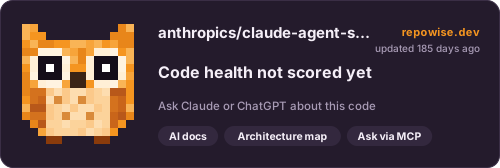
[](https://repowise.dev/repo/anthropics/claude-agent-sdk-demos?src=badge_health)Code health card
A larger card with the score, its change since the last index, and when it was measured. The HTML version follows the reader's light or dark theme.

[](https://repowise.dev/repo/anthropics/claude-agent-sdk-demos?src=badge_card)