 repowise
 pengchujin/aerial-tv

pengchujin / aerial-tv
给国产电视的一块干净桌面:参照 tvOS 设计的开源 Android TV 桌面,没有广告,开机自动接管。A tvOS-style launcher for Xiaomi, TCL and other China-market TVs.
github.com/pengchujin/aerial-tvIndexed at 20e14dfUp to date with upstream
What is aerial-tv?
aerial-tv is an open-source Android TV launcher for Xiaomi, TCL and other China-market televisions. It replaces the default home screen with apps, wallpapers, inputs and a screensaver surface, and it is written mainly in Kotlin.
Written by a model from the README and the source
92 files and 882 symbols in 4 modules, led by Kotlin (53 files) and Shell (5).
Code health
Hotspots average 5.9, the place fixes pay off most.
Use pengchujin/aerial-tv in your agent
Point Claude Code, Cursor, Codex or VS Code at this repository. Your agent gets the index this page is built from: cited answers, callers, history and health for any file.
- 1.In Claude, open Customize → Connectors, click +, then Add custom connector. On a Team or Enterprise plan an owner adds it first under Organization settings → Connectors.
- 2.Paste the server URL below as the Remote MCP server URL, then click Add.
- 3.Click Connect. A Repowise sign-in window opens. Approve access.
- 4.Repowise's tools are now available in your Claude chats.
Connect with one click. Sign in with Repowise (OAuth), no API key to copy. Works in Claude on the web, desktop, and mobile.
Docshttps://api.repowise.dev/mcp/pengchujin/aerial-tv
This repo is public, so anyone with a Repowise account and an API key can connect.
Try asking
- get_overview()
- get_answer("how is aerial-tv put together?")
- get_why("why is aerial-tv structured this way?")
Explore aerial-tv
- DocumentationModule-by-module documentation, 141 pages.
- ArchitectureDependency graph, layers and third-party dependencies.
- Code healthEvery file's score and the findings behind it.
- CommitsEach commit's effect on code health.
- OverviewEverything else the index found: contributors, decisions, what changed this week.
Key features of aerial-tv
- aerial-tv places frequently used apps in a bottom tile row and provides access to all apps, including hidden system apps.
- aerial-tv lets users move apps, place them in folders, hide them, uninstall them and configure HDMI inputs with custom icons and names.
- aerial-tv provides a Control Center for signal sources, network, settings, volume, brightness and personalization.
- aerial-tv provides an Apple TV-style screensaver with aerial videos, optional 4K playback when supported, photos or a clock.
- aerial-tv supports wallpapers from built-in selections, phone-transferred photos and aerial content.
- aerial-tv supports customization of tile rows, clock size and position, app names, focus style and button sounds.
How pengchujin/aerial-tv works
aerial-tv runs as an Android app that becomes the television's home experience. HomeScreen.kt presents configured apps through AppTile.kt, while TileArt.kt draws tile artwork. ControlCenter.kt provides signal-source, network, settings, volume, brightness and personalization controls. WallpaperSheet.kt manages wallpaper selection and the wallpaper surface. The app also uses an accessibility service and notification listener to return to the Aerial surface when supported television launchers appear or clear the app.
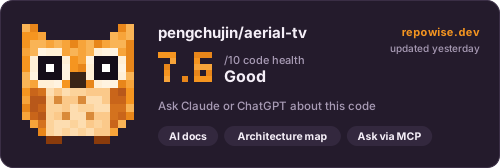
The codebase has 92 files and 882 symbols in 4 modules, led by Kotlin, Shell and Python. Code health is 7.6 out of 10, rated good.
Getting started with aerial-tv
- Enable ADB debugging on the television and connect the computer and television to the same network.
- Install the APK manually by connecting to the television and granting the required permissions.
adb connect 192.168.1.20:5555 - Build the release variants and run the installation script during development.
./gradlew assembleStandardRelease assembleGuardRelease
Commands copied from the README
pengchujin/aerial-tv FAQ
What is aerial-tv?
aerial-tv is an open-source Android TV launcher for China-market televisions. It provides a home screen with apps, wallpapers, inputs, Control Center controls and a screensaver.
How does aerial-tv work?
aerial-tv runs as an Android app that renders the home screen and related surfaces. An accessibility service and notification listener help restore the launcher when supported television software clears or replaces it.
How do I install aerial-tv?
aerial-tv can be installed over ADB after enabling television debugging and connecting both devices to the same network. The project also provides an installation command for macOS and Linux.
What language is aerial-tv written in?
aerial-tv is written mainly in Kotlin. The repository also includes shell, Python, JavaScript and Swift files.
How is the aerial-tv code organized?
aerial-tv is organized mainly under app, with supporting files under tools, root and site. HomeScreen.kt, AppTile.kt, ControlCenter.kt, WallpaperSheet.kt and TileArt.kt cover core launcher surfaces and artwork.
Who is aerial-tv for?
aerial-tv is for people using Xiaomi, TCL and other China-market Android TVs who want a home screen centered on their apps, wallpapers and screensaver.
What license does aerial-tv use?
aerial-tv uses the MIT license.
The summary, features and answers on this page are written by a model from the README and the source, and refreshed with each index.
About this page
Get a page like this for your own codebase
Repowise built this map of pengchujin/aerial-tv from its source and git history. It parses every symbol, draws the dependency graph, scores each file's health from complexity, duplication, coverage and churn, finds hotspots and owners in the history, and writes documentation for every module. Your coding agent reads the same index over MCP, so its answers cite real files.
Prefer local? pip install repowise && repowise init indexes your own checkout, no account needed.
Maintain pengchujin/aerial-tv?
Claim this page, add a badge to the README, or re-index it.
Claim this page
Sign in with GitHub and we check that you are an admin or maintainer of pengchujin/aerial-tv. Then add a badge to the README that links readers here.
Add a badge to your README
Every badge is public, cached, and updates on its own after every index. Nothing to install.
Repowise badge
Links to this page, with no score on it. Adding it also re-indexes the repo every week.

[](https://repowise.dev/repo/pengchujin/aerial-tv?src=badge_wiki)Code health badge
The repo's health score out of 10, from the latest index.

[](https://repowise.dev/repo/pengchujin/aerial-tv?src=badge_health)Code health card
A larger card with the score, its change since the last index, and when it was measured. The HTML version follows the reader's light or dark theme.

[](https://repowise.dev/repo/pengchujin/aerial-tv?src=badge_card)