



homuler / mediapipeunityplugin
Unity plugin to run MediaPipe
github.com/homuler/mediapipeunitypluginIndexed at eeeb7c9Up to date with upstream
About this codebase
399 files and 5,004 symbols in 5 modules, led by C# (291 files) and C++ (66).
Built from the index
Code health
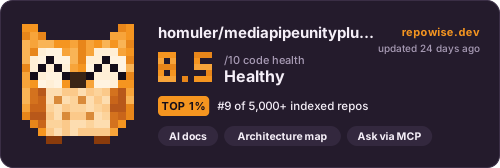
This codebase scores 8.5 out of 10 for code health, which we rate excellent. It also scores maintainability 8.9 and static performance 9.9 out of 10. The three are scored separately and never blended into one number.
On the leaderboards:#5 of 8 C# repos
Do next
Nothing stands out this week.
Improve what Repowise can see
Add a test coverage report
Without one, Repowise cannot tell tested code from untested code, so every test-related action says “unknown”.
- line coverage
- Unknown, no report
Small effort
Use homuler/mediapipeunityplugin in your agent
Point Claude Code, Cursor, Codex or VS Code at this repository. Your agent gets the index this page is built from: cited answers, callers, history and health for any file.
https://api.repowise.dev/mcp/homuler/mediapipeunitypluginOne command, run anywhere. Adds the server to your local Claude Code config.
Docsclaude mcp add --transport http repowise https://api.repowise.dev/mcp/homuler/mediapipeunityplugin \ --header "Authorization: Bearer rw_live_xxxxxxxxxxxxxxxxxxxxxxxxxxxxxxxx"
This repo is public, so anyone with a Repowise account and an API key can connect.
Try asking
- get_overview()
- get_answer("how is mediapipeunityplugin put together?")
- get_why("why is mediapipeunityplugin structured this way?")
Prefer local? pip install repowise && repowise init indexes your own checkout, no account needed.
Go deeper
- OverviewEverything the index found, what changed this week, commits and decisions.
- DocumentationModule-by-module documentation, 694 pages, 0 written by a model.
- ArchitectureDependency graph, layers and third-party dependencies.
- Code healthEvery file's score, the findings behind it, tests and refactoring plans.
- CommitsEach commit's effect on code health, with agent provenance.
- ContributorsWho owns what, and where one person holds most of the knowledge.
- DecisionsArchitectural decisions mined from commits and pull requests.
- Ask this codebaseSign inGrounded answers over the indexed code.
Maintain this repo? Claim the page
Sign in with GitHub and we check that you are an admin or maintainer of homuler/mediapipeunityplugin. Then add a badge to the README that links readers here.
Use this repo from Claude or ChatGPT
Add this URL as a custom connector and sign in with repowise when asked. No API key to copy.
https://api.repowise.dev/mcp/homuler/mediapipeunitypluginFor maintainers
Add a badge to your README
Every badge is public, cached, and updates on its own after every index. Nothing to install.
Repowise badge
Links to this page, with no score on it. Adding it also re-indexes the repo every week.

[](https://repowise.dev/repo/homuler/mediapipeunityplugin?src=badge_wiki)Code health badge
The repo's health score out of 10, from the latest index.

[](https://repowise.dev/repo/homuler/mediapipeunityplugin?src=badge_health)Code health card
A larger card with the score, its change since the last index, and when it was measured. The HTML version follows the reader's light or dark theme.

[](https://repowise.dev/repo/homuler/mediapipeunityplugin?src=badge_card)How homuler/mediapipeunityplugin works
Unity plugin to run MediaPipe This page is a map of the homuler/mediapipeunityplugin repository, written primarily in C#, rebuilt from the source each time it is indexed. Repowise parses every symbol, computes a dependency graph, scores per-file code health from complexity, duplication, test coverage and churn, mines git history for hotspots and ownership, and lifts the architectural decisions into documentation you can read here or query through MCP.
The codebase has 399 files and 5,004 symbols in 5 modules, led by C#, C++ and Dockerfile. Code health is 8.5 out of 10, rated excellent.
Use the links above to open each view, or connect this repository to your agent for grounded answers inside Claude, Cursor, Codex or VS Code.