 repowise
 pipecat-ai/pipecat

pipecat-ai / pipecat
Open Source framework for voice agents, multimodal apps, and realtime AI. Maintained by Daily and the community.
github.com/pipecat-ai/pipecatIndexed at 7edf725Up to date with upstream
What is pipecat?
pipecat is an open-source Python framework for building real-time voice and multimodal conversational agents. It connects audio and video, AI services, transports, and conversation pipelines so developers can build single-agent or multi-agent systems. The project is primarily written in Python, with TypeScript and JavaScript components.
Written by a model from the README and the source
1,792 files and 22,357 symbols in 6 modules, led by Python (1,483 files) and TypeScript (64).
Code health
This codebase scores 7.3 out of 10 for code health, which we rate good. It also scores maintainability 8.0 and static performance 9.9 out of 10. The three are scored separately and never blended into one number. Risk is concentrated, as it usually is: 340 of 1,792 files are git hotspots, and they average 6.1 — which is where the fixes pay off most.
Use pipecat-ai/pipecat in your agent
Point Claude Code, Cursor, Codex or VS Code at this repository. Your agent gets the index this page is built from: cited answers, callers, history and health for any file.
- 1.In Claude, open Customize → Connectors, click +, then Add custom connector. On a Team or Enterprise plan an owner adds it first under Organization settings → Connectors.
- 2.Paste the server URL below as the Remote MCP server URL, then click Add.
- 3.Click Connect. A Repowise sign-in window opens. Approve access.
- 4.Repowise's tools are now available in your Claude chats.
Connect with one click. Sign in with Repowise (OAuth), no API key to copy. Works in Claude on the web, desktop, and mobile.
Docshttps://api.repowise.dev/mcp/pipecat-ai/pipecat
This repo is public, so anyone with a Repowise account and an API key can connect.
Try asking
- get_overview()
- get_answer("how is pipecat put together?")
- get_why("why is pipecat structured this way?")
Explore pipecat
- DocumentationModule-by-module documentation, 2,336 pages.
- ArchitectureDependency graph, layers and third-party dependencies.
- Code healthEvery file's score and the findings behind it.
- CommitsEach commit's effect on code health.
- OverviewEverything else the index found: contributors, decisions, what changed this week.
Key features of pipecat
- Pipecat supports real-time voice assistants with speech recognition, text-to-speech, and conversation handling.
- Pipecat supports multi-agent systems with handoffs, parallel fan-out, sidecars, and distributed deployments.
- Pipecat provides composable pipelines built from modular components.
- Pipecat supports multimodal interfaces involving voice, video, images, and other media.
- Pipecat integrates with AI services and transports including WebSockets and WebRTC.
- Pipecat includes structured conversations with state management through Pipecat Flows.
How pipecat-ai/pipecat works
Input enters through transports such as WebRTC, WebSockets, or local connections and moves through composable conversation pipelines. Pipelines connect processors for speech recognition, language models, text-to-speech, media, and conversation handling. The src directory contains the framework implementation, including services, processors, transports, and other core components. The src/pipecat/services/tts_service.py file defines text-to-speech service functionality. The src/pipecat/processors/aggregators/llm_response_universal.py file handles aggregation of language-model responses. Multi-agent examples in examples/multi-worker show handoffs, remote proxies, and UI workers across processes or machines. Results can include streamed voice, video, images, and other multimodal responses.
The codebase has 1,792 files and 22,357 symbols in 6 modules, led by Python, TypeScript and JavaScript. Code health is 7.3 out of 10, rated good.
Getting started with pipecat
- Install the Pipecat CLI.
uv tool install "pipecat-ai[cli]" - Create a new project interactively.
pipecat init - Install Pipecat in a manually created project.
uv add pipecat-ai
Commands copied from the README
pipecat-ai/pipecat FAQ
What is pipecat?
pipecat is an open-source Python framework for building real-time voice and multimodal conversational agents. It supports single-agent and multi-agent systems.
How does pipecat work?
pipecat connects transports, AI services, media processing, and composable conversation pipelines. Pipelines process inputs such as audio or video and produce conversational responses.
How do I install pipecat?
pipecat can be installed with uv add pipecat-ai, or with uv tool install "pipecat-ai[cli]" for the CLI. The CLI can create a project with pipecat init.
What language is pipecat written in?
pipecat is primarily written in Python. The repository also includes TypeScript and JavaScript components.
How is the pipecat code organized?
pipecat is organized mainly under src, with examples, tests, scripts, docs, and evals as separate top-level directories. The pyproject.toml file defines the Python package configuration.
Who is pipecat for?
pipecat is for developers building real-time voice agents, multimodal conversational applications, and multi-agent systems. It supports assistants, companions, business agents, and structured dialog systems.
What license does pipecat use?
pipecat uses the BSD-2-Clause license.
The summary, features and answers on this page are written by a model from the README and the source, and refreshed with each index.
About this page
Get a page like this for your own codebase
Repowise built this map of pipecat-ai/pipecat from its source and git history. It parses every symbol, draws the dependency graph, scores each file's health from complexity, duplication, coverage and churn, finds hotspots and owners in the history, and writes documentation for every module. Your coding agent reads the same index over MCP, so its answers cite real files.
Prefer local? pip install repowise && repowise init indexes your own checkout, no account needed.
Maintain pipecat-ai/pipecat?
Claim this page, add a badge to the README, or re-index it.
Claim this page
Sign in with GitHub and we check that you are an admin or maintainer of pipecat-ai/pipecat. Then add a badge to the README that links readers here.
Add a badge to your README
Every badge is public, cached, and updates on its own after every index. Nothing to install.
Repowise badge
Links to this page, with no score on it. Adding it also re-indexes the repo every week.

[](https://repowise.dev/repo/pipecat-ai/pipecat?src=badge_wiki)Code health badge
The repo's health score out of 10, from the latest index.

[](https://repowise.dev/repo/pipecat-ai/pipecat?src=badge_health)Code health card
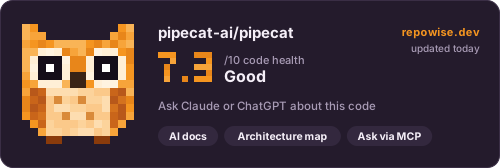
A larger card with the score, its change since the last index, and when it was measured. The HTML version follows the reader's light or dark theme.

[](https://repowise.dev/repo/pipecat-ai/pipecat?src=badge_card)