 repowise
 wangzan101/mika

wangzan101 / mika Architecture and code health
Mika — 你手机上的私人 AI 助理,替你操作 App、上网、把事办成。An on-device AI agent for Android that operates apps and the web to get things done for you.
github.com/wangzan101/mikaIndexed at cfa4380Up to date with upstream
What is mika?
Mika is an on-device AI agent for Android that carries out a one-sentence request by operating apps and the web on the phone. It drives apps on a private background screen, browses the web in a built-in browser, and runs scripts in a local Linux sandbox, all using a model API key that the user supplies. The code is mainly written in Kotlin.
Written by a model from the README and the source
1,313 files and 22,765 symbols in 4 modules, led by Kotlin (996 files) and Python (4).
Code health
Hotspots average 7.9, the place fixes pay off most.
On the leaderboards:#1 of 1 Kotlin repos
Use wangzan101/mika in your agent
Point Claude Code, Cursor, Codex or VS Code at this repository. Your agent gets the index this page is built from: cited answers, callers, history and health for any file.
- 1.In Claude, open Customize → Connectors, click +, then Add custom connector. On a Team or Enterprise plan an owner adds it first under Organization settings → Connectors.
- 2.Paste the server URL below as the Remote MCP server URL, then click Add.
- 3.Click Connect. A Repowise sign-in window opens. Approve access.
- 4.Repowise's tools are now available in your Claude chats.
Connect with one click. Sign in with Repowise (OAuth), no API key to copy. Works in Claude on the web, desktop, and mobile.
Docshttps://api.repowise.dev/mcp/wangzan101/mika
This repo is public, so anyone with a Repowise account and an API key can connect.
Try asking
- get_overview()
- get_answer("how is mika put together?")
- get_why("why is mika structured this way?")
Explore mika
- DocumentationModule-by-module documentation, 2,282 pages.
- ArchitectureDependency graph, layers and third-party dependencies.
- Code healthEvery file's score and the findings behind it.
- CommitsEach commit's effect on code health.
- OverviewEverything else the index found: contributors, decisions, what changed this week.
Key features of mika
- Operates installed Android apps on a private background screen so the user can keep using the phone.
- Browses the web in a built-in browser that performs real clicks and keyboard input.
- Runs Python, Node and shell commands in a Linux sandbox that is available only on arm64 devices.
- Works with the user's own model API key, with presets for providers such as DeepSeek and OpenRouter and custom endpoints for OpenAI-compatible, Anthropic or Gemini APIs.
- Runs scheduled and conditional tasks and asks the user to handle steps such as logins, verification codes and payments.
How wangzan101/mika works
The app module holds the Android user interface, including ChatViewModel.kt behind the chat screen, ChatDrawer.kt for the chat drawer, and ModelsScreen.kt for the models screen. Model provider settings are kept in app/src/main/java/com/wangzan101/mika/settings/ProviderStore.kt, which is a central file for connecting to the configured model services. The core module holds the largest share of the files, along with the built-in knowledge and skills. Knowledge entries are plain Markdown text files under core/src/main/resources/knowledge/, and skills are kept under core/src/main/resources/skills/, so they can be extended without writing code. The docs/architecture.md file describes the current code structure with class names and file paths.
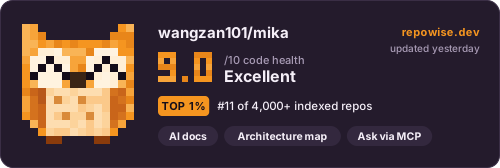
The codebase has 1,313 files and 22,765 symbols in 4 modules, led by Kotlin, Python and JavaScript. Code health is 9.0 out of 10, rated excellent.
Getting started with mika
- Download the latest APK from the Releases page and install it on an Android device.
- Install JDK 17 and an Android SDK, setting sdk.dir in local.properties or the ANDROID_HOME environment variable.
- Build the debug package.
./gradlew :app:assembleDebug - Run the unit tests.
./gradlew :core:test :app:testDebugUnitTest
Commands copied from the README
wangzan101/mika FAQ
What is Mika?
Mika is an on-device AI agent for Android that carries out a one-sentence request by operating apps and the web on the phone. It works on a private background screen, so the user can keep using the phone. The project is in public beta.
How does Mika work?
Mika reads the phone screen, taps and types in apps, and browses web pages in a built-in browser. It uses a model API key that the user provides, and requests go only to the configured model provider, with no Mika server in between.
How do I install Mika?
Mika is installed from the APK published on the Releases page of the repository. It installs on Android 11 or later, tasks need Android 13 or later, and Android 14 or later is recommended.
What language is Mika written in?
Mika is written mainly in Kotlin. Smaller parts use Python, JavaScript, Java, C and shell.
How is the Mika code organized?
The code is split into a core module and an app module. The core module holds built-in knowledge and skills as text files under core/src/main/resources, and the app module holds the Android user interface under app/src/main/java/com/wangzan101/mika/ui.
Who is Mika for?
Mika is for Android users who want an AI model to handle everyday phone tasks, such as sorting through a long chat history or setting a scheduled task. The user supplies the model API key and chooses the provider.
What license does Mika use?
Mika is licensed under Apache-2.0. The license identifier in the repository metadata is Apache-2.0.
The summary, features and answers on this page are written by a model from the README and the source, and refreshed with each index.
About this page
Get a page like this for your own codebase
Repowise built this map of wangzan101/mika from its source and git history. It parses every symbol, draws the dependency graph, scores each file's health from complexity, duplication, coverage and churn, finds hotspots and owners in the history, and writes documentation for every module. Your coding agent reads the same index over MCP, so its answers cite real files.
Prefer local? pip install repowise && repowise init indexes your own checkout, no account needed.
Maintain wangzan101/mika?
Claim this page, add a badge to the README, or re-index it.
Claim this page
Sign in with GitHub and we check that you are an admin or maintainer of wangzan101/mika. Then add a badge to the README that links readers here.
Add a badge to your README
Every badge is public, cached, and updates on its own after every index. Nothing to install.
Repowise badge
Links to this page, with no score on it. Adding it also re-indexes the repo every week.

[](https://repowise.dev/repo/wangzan101/mika?src=badge_wiki)Code health badge
The repo's health score out of 10, from the latest index.

[](https://repowise.dev/repo/wangzan101/mika?src=badge_health)Code health card
A larger card with the score, its change since the last index, and when it was measured. The HTML version follows the reader's light or dark theme.

[](https://repowise.dev/repo/wangzan101/mika?src=badge_card)