On this page
- The 30-day blind spot when joining a legacy team
- What helps and what doesn't
- 1. repowise overview + chat
- Where it wins
- Where it loses
- 2. DeepWiki (public repos only)
- Best use case
- Tradeoff
- 3. Sourcegraph + Cody
- Good for
- Less good for
- 4. Aider with --map-tokens
- Where it fits
- Where it falls short
- 5. IDE call-hierarchy + git blame
- What it tells you
- What it does not tell you
- Tool comparison table
- A 5-step audit workflow
- 1) Build the map
- 2) Find the hotspots
- 3) Check ownership
- 4) Trace dependencies
- 5) Write a short decision log
- What to write down
- Best tool by scenario
- Why MCP matters for legacy code audit work
- FAQ
Best Tools to Understand Legacy Codebase Fast
A good understand legacy codebase workflow does not start with editing. It starts with reducing unknowns. On day one, the cost is not syntax. It is context: who owns what, which modules matter, where behavior is hidden, and which files are safe to touch. The tools below help you explore unfamiliar codebase material fast, but they do different jobs. Some build a map. Some answer questions. Some surface risk. A few do all three. If you are doing legacy code modernization, the goal is not “read everything.” The goal is to find the 20% of the system that explains the other 80%. See what repowise generates on real repos in our live examples. For the broader ramp-up picture, this fits inside the guide on how to onboard engineers faster on any codebase.
We build repowise, so weigh our entry accordingly. The measurements we publish about it, with their methods, are on the benchmarks page.
The 30-day blind spot when joining a legacy team
The first month on a legacy codebase usually has the same failure modes.
You open a file and it looks normal. You edit one branch and break a feature three directories away. You ask who owns a module and get a name that left two quarters ago. Tests are thin, names are vague, and the README is stale.
That is why “understand legacy codebase” is a tooling problem before it is a people problem. You need fast answers to five questions:
- What exists?
- What depends on it?
- Who touched it last?
- What changed together in the past?
- What is risky to modify?
If your stack cannot answer those quickly, you spend the first 30 days guessing.
What helps and what doesn't
Some tools are good at search. Some are good at chat. Some are good at maps. The useful ones for legacy code audit work usually combine three layers:
- Structure: module maps, dependency graphs, call hierarchy, symbol lookup.
- History: blame, churn, ownership, co-change patterns.
- Explanation: generated docs, natural language Q&A, decision search.
The wrong tool mix produces confident confusion. A chat assistant without repository context guesses. A search box without history tells you where code lives, not how it behaves over time. A blame view without dependency data tells you who edited a file, not whether that file is a hotspot.
For a real audit, you want tools for legacy code that cut across all three.
1. repowise overview + chat
repowise is built for the first pass on an unfamiliar repository. It generates file, module, and symbol docs, then layers on git intelligence, dependency graphs, and MCP tools for agents. It is self-hostable, open source, and AGPL-3.0 licensed. The license matters if you want to run it inside a private codebase and keep the indexing close to the code. The GNU AGPL is designed for network server software, which is the right fit for a code intelligence service. (gnu.org)
The useful part is not “AI docs” in the abstract. It is the combination of:
- auto-generated wiki pages for every file and symbol,
- freshness and confidence scoring,
- ownership maps,
- hotspot analysis,
- dependency paths,
- dead-code detection,
- and MCP tools that let an agent ask structured questions instead of guessing.
That makes repowise a practical legacy code audit tool, not just a search layer. Its architecture page explains how the wiki, git intelligence, dependency graph, and MCP server fit together; the live examples show the output on real repos like FastAPI and Starlette. Check our architecture page to understand how repowise works, and see auto-generated docs for FastAPI to understand what repowise produces. View the ownership map for Starlette to see git intelligence in action.
Where it wins
- You need a quick repo map before a meeting.
- You need to identify the owners of a suspect area.
- You want an agent to answer “where is the auth flow?” with evidence.
Where it loses
- You only need a quick one-off grep.
- You do not want any indexing step.
- You are working on a small repo with excellent docs already.
2. DeepWiki (public repos only)
DeepWiki is useful if your target codebase is public. It generates talkable documentation for repositories it indexes and presents itself as AI documentation you can query. Its own site describes coverage across public GitHub repos, and its server docs say it works with public repos indexed on DeepWiki. That makes it a solid read-only starting point for open source audits, but it is not a fit for private enterprise code. (deepwiki.org)
That public-repo constraint matters. If you are trying to understand a third-party dependency, it can save time. If you are auditing your own monorepo behind the firewall, it is the wrong tool category.
Best use case
- You need a quick mental model of an open-source project.
- You want generated docs before reading source.
- You are comparing public libraries during due diligence.
Tradeoff
You get convenience, but you give up control over indexing scope, internal ownership data, and private code support. For private repos, repowise fills that gap with self-hosting and MCP access.
3. Sourcegraph + Cody
Sourcegraph is still one of the strongest options for code search, code navigation, and code intelligence at scale. Its docs describe search across repositories and branches, code navigation, code owners, history, and code insights. Cody sits on top as the AI assistant, using Sourcegraph search and code intelligence to retrieve context from the repository before answering. (sourcegraph.com)
That context retrieval step is the difference between “ask a model” and “ask a model with a code graph behind it.” Sourcegraph’s Cody docs say it uses search, keyword search, and code graph context, and its FAQ explains that retrieved snippets come from the code intelligence layer before the model answers. (sourcegraph.com)
If you already have Sourcegraph, it can be a strong path for legacy code modernization. If you do not, the platform is broader than many teams need for the first week of a code audit. It is built for search, navigation, and insights across large installations, not just for a single “what does this module do?” question. Its Code Insights product also tracks codebase trends over time, which helps with migrations and ownership tracking. (sourcegraph.com) The Sourcegraph alternative page sets the search-first and intelligence-first approaches side by side.
Good for
- Large codebases with lots of branches and repos.
- Teams that need code search plus AI help.
- Ongoing modernization programs, not just one audit.
Less good for
- A lightweight, repo-local audit.
- Teams that only need docs, graphs, and ownership for one codebase.
- Cases where you want a smaller, self-hosted footprint.
4. Aider with --map-tokens
Aider is not a code intelligence platform. It is a coding agent. But its repo map is useful when you need to understand a legacy codebase from the editor side. Aider’s docs say it builds a repository map that selects the most important parts of the codebase within the active token budget. Its FAQ also documents --map-tokens for controlling how much repository context is included. (aider.chat)
That makes Aider helpful when you want to work interactively and keep the model from wandering. The map is a compact way to surface structure, especially in medium-sized repos where a full context dump is too expensive.
Where it fits
- You are editing code while trying to orient yourself.
- You want a token-aware map of the repo.
- You want a lightweight assistant that keeps context bounded.
Where it falls short
- It does not replace git history analysis.
- It does not give you ownership graphs.
- It does not produce a durable audit artifact.
For understanding a legacy codebase fast, Aider is a good assistant. It is not a complete audit tool.
5. IDE call-hierarchy + git blame
The oldest tools still matter. Call hierarchy shows how code flows. Git blame shows who touched a line and when. In VS Code, call hierarchy is part of the language features exposed by language servers, and Git’s own docs describe blame as the command that annotates lines with the commit and author who last changed them. (learn.microsoft.com)
This combo is boring and effective. If a method looks suspicious, call hierarchy tells you what can reach it. Blame tells you whether the code is still maintained or has been untouched for years. That is often enough to decide whether to patch, refactor, or isolate.
What it tells you
- Entry points.
- Fan-in and fan-out.
- Recently changed code.
- Potential owners when CODEOWNERS is missing or stale.
What it does not tell you
- Architectural boundaries.
- Co-change patterns.
- Dead code.
- Cross-file hotspots.
Use it, but do not stop there.
Tool comparison table
| Tool | Best at | Weak spot | Private repos | History | Dependency graph |
|---|---|---|---|---|---|
| repowise | Repo docs, ownership, risk, graph analysis | Requires indexing | Yes | Yes | Yes |
| DeepWiki | Public repo docs and Q&A | Public repos only | No | Limited | Limited |
| Sourcegraph + Cody | Search, navigation, AI Q&A at scale | Broader platform than some teams need | Yes | Yes | Yes |
Aider --map-tokens | Interactive repo map in the editor | Not an audit system | Yes | No | Partial |
| IDE call-hierarchy + git blame | Fast local orientation | Narrow view | Yes | Yes | No |
Scroll the table sideways to see every column.
A 5-step audit workflow
If your job is to understand legacy codebase risk fast, this order works.
1) Build the map
Start with docs, module summaries, and dependency paths. You want the shape of the system before you touch code.
2) Find the hotspots
Look for churn × complexity. Files that change often and are hard to read deserve attention first. repowise’s hotspot analysis and code health layer are built for this. Code health is scored across three co-equal signals (defect risk, maintainability, and performance), then rolled into per-file scores, module rollups, untested-hotspot detection, refactoring targets ranked by impact-per-effort, and declining-health alerts. Explore the hotspot analysis demo for a real-world example.
3) Check ownership
Find who owns the code now, not who owned it two years ago. If ownership is unclear, treat the file as higher risk.
4) Trace dependencies
If changing file A can affect B, C, and D, you need that path before you edit. This is where a dependency graph matters more than grep.
5) Write a short decision log
Record what you learned while it is fresh. Put it in the repo, not just in Slack.
What to write down
A useful legacy code audit note should fit in one page.
Write down:
- the entry points you found,
- the top 5 risky files,
- the owners or likely maintainers,
- the main dependency chains,
- any dead code or zombie packages,
- and the first refactor you would make.
Keep the language concrete. Say “services/payments/checkout.py has 11 dependents and high churn” instead of “this area feels fragile.”
If you are using repowise, the output from get_overview(), get_context(), get_why(), get_risk(), and get_dead_code() gives you a good starting set of facts. get_why() answers the question this whole workflow is really chasing, not just what a file does but why it was built that way, pulling recorded architectural decisions and, when none exist, the git history and code comments that explain the choice. That is useful in a code review, a migration kickoff, or a handoff after a team changes.
Best tool by scenario
| Scenario | Best choice |
|---|---|
| Private monorepo with weak docs | repowise |
| Public open-source repo | DeepWiki |
| Large org with many repos and existing code search | Sourcegraph + Cody |
| Interactive editing in a single repo | Aider |
| Quick local investigation | IDE call-hierarchy + git blame |
Scroll the table sideways to see every column.
The pattern is simple: use the tool that exposes the most context with the least guessing. For private repos, repowise’s MCP server is a strong fit because it packages repo knowledge into structured tools that agents can call directly. The MCP spec defines tools as callable units that servers expose to models, which is exactly why structured context beats free-form prompt stuffing. (modelcontextprotocol.io)
Why MCP matters for legacy code audit work
MCP is the piece that turns code intelligence into something an agent can actually use. The spec defines a standard way for servers to expose tools to models. That matters because legacy code work is full of repeated questions: what owns this file, what depends on it, what changed with it, why was it built this way? A model with a structured tool layer can ask those questions one by one, using get_why() for the last one, instead of trying to infer everything from a blob of text. (modelcontextprotocol.io)
That is also why a repo intelligence product with MCP support is more useful than a static doc generator. Docs age. Tool results can be recomputed from the repository state.
FAQ
What is the fastest way to understand a legacy codebase?
Start with a repo map, then check ownership, churn, and dependency paths. Read only the hotspots first. Do not begin with random files.
What is a legacy code audit tool?
A legacy code audit tool is anything that helps you map structure, history, ownership, and risk in an old or unfamiliar codebase. The best tools combine docs, graphs, and git intelligence.
Are AI coding assistants enough to understand unfamiliar code?
Not by themselves. They help with search and explanation, but they need repo context. Cody gets that context from Sourcegraph, and Aider limits context with a repo map, but neither replaces ownership and history analysis. ([sourcegraph.com](https://sourcegraph.com/docs/cody?via=browsingai))
Is DeepWiki good for private repositories?
No. DeepWiki’s own docs describe it as working with public GitHub repositories indexed on DeepWiki. If the repo is private, look elsewhere. ([deepwiki.org](https://deepwiki.org/))
How does Sourcegraph help with legacy code modernization?
Sourcegraph gives you search, code navigation, code ownership, code insights, and Cody for AI-assisted questions. That makes it useful for migrations and ongoing modernization across large codebases. ([sourcegraph.com](https://sourcegraph.com/docs/))
Should I rely on git blame alone?
No. Blame is useful, but it only answers “who last changed this line?” It does not tell you how the code fits into the rest of the system. Pair it with call hierarchy and dependency data. 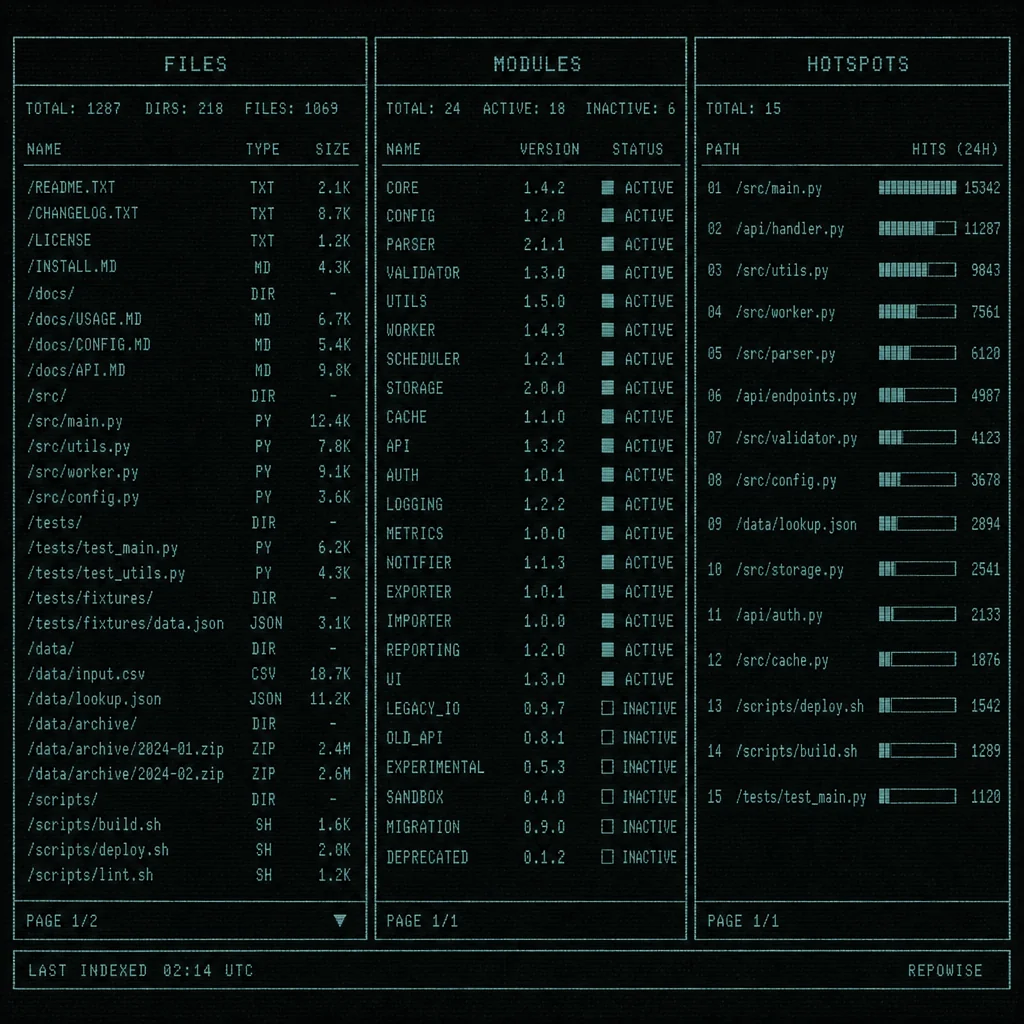 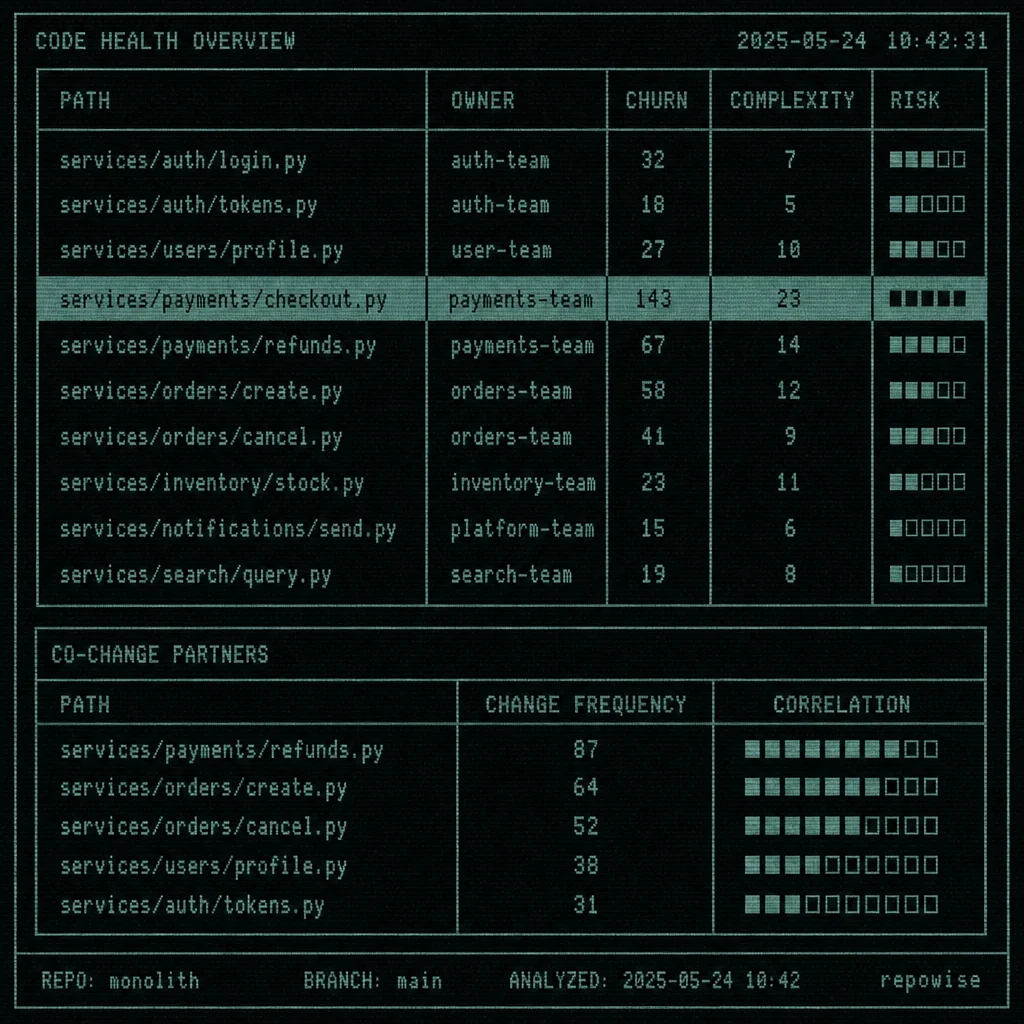 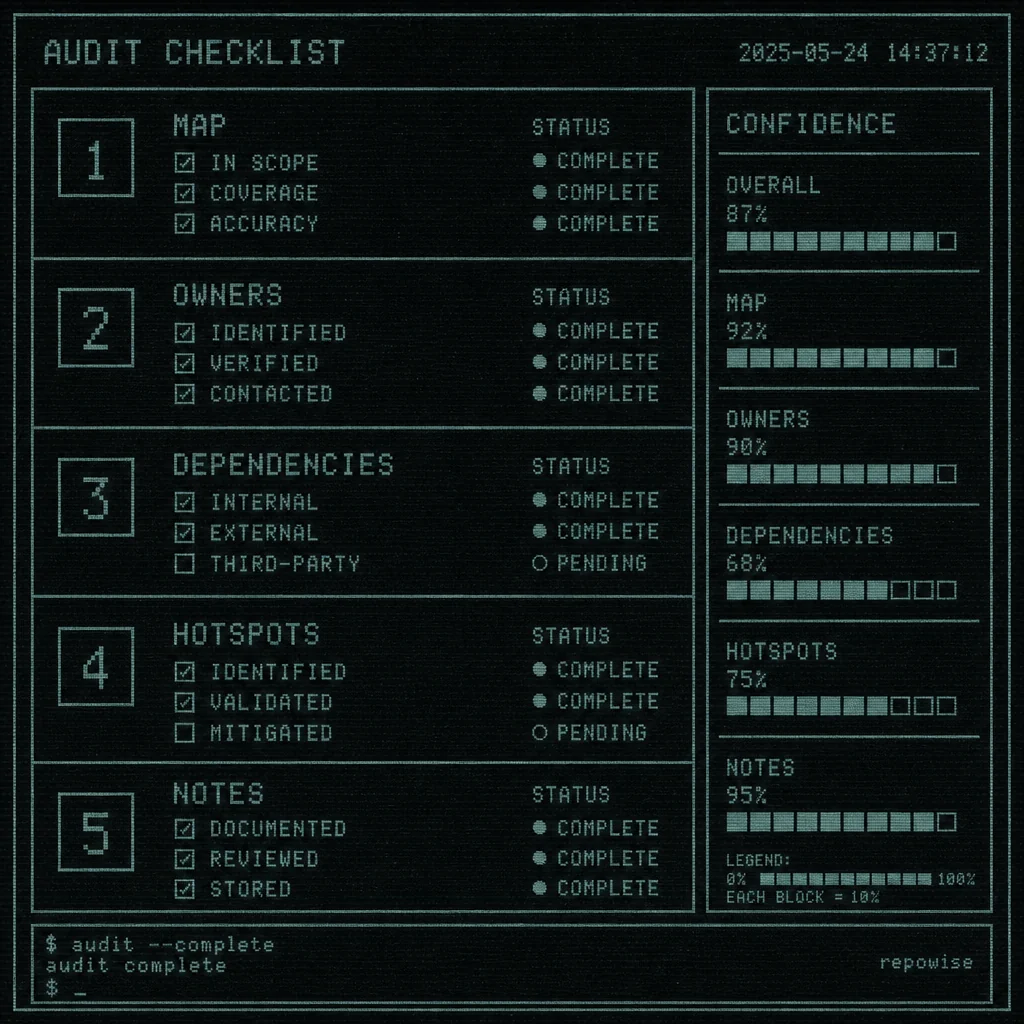
How should I choose between repowise, Sourcegraph, and DeepWiki?
Use DeepWiki for public repos, Sourcegraph for broad enterprise code search and AI assistance, and repowise when you want a self-hosted legacy code audit tool with docs, ownership, risk, and dependency analysis in one place. If you want to try the workflow on a real repo, start with the [FastAPI dependency graph demo](/repo/tiangolo/fastapi/architecture) and compare it with the [live examples](/explore).