On this page
The C4 model is a way to describe software architecture at four zoom levels: system context, containers, components and code. It was created by Simon Brown, and each level is a separate diagram that answers a different question for a different audience. This guide covers what each C4 diagram shows, the notation rules, a worked example on a real open-source system, and how to produce the diagrams from code.
| Level | Diagram | Question it answers | Typical audience |
|---|---|---|---|
| 1 | System context | What is the system, who uses it, what does it depend on? | Everyone, technical or not |
| 2 | Container | What are the separately running parts and how do they talk? | Developers, ops, architects |
| 3 | Component | What are the major building blocks inside one container? | Developers on that container |
| 4 | Code | How is one component built, class by class? | Rarely drawn; generated when needed |
Scroll the table sideways to see every column.
What are the four levels of the C4 model?
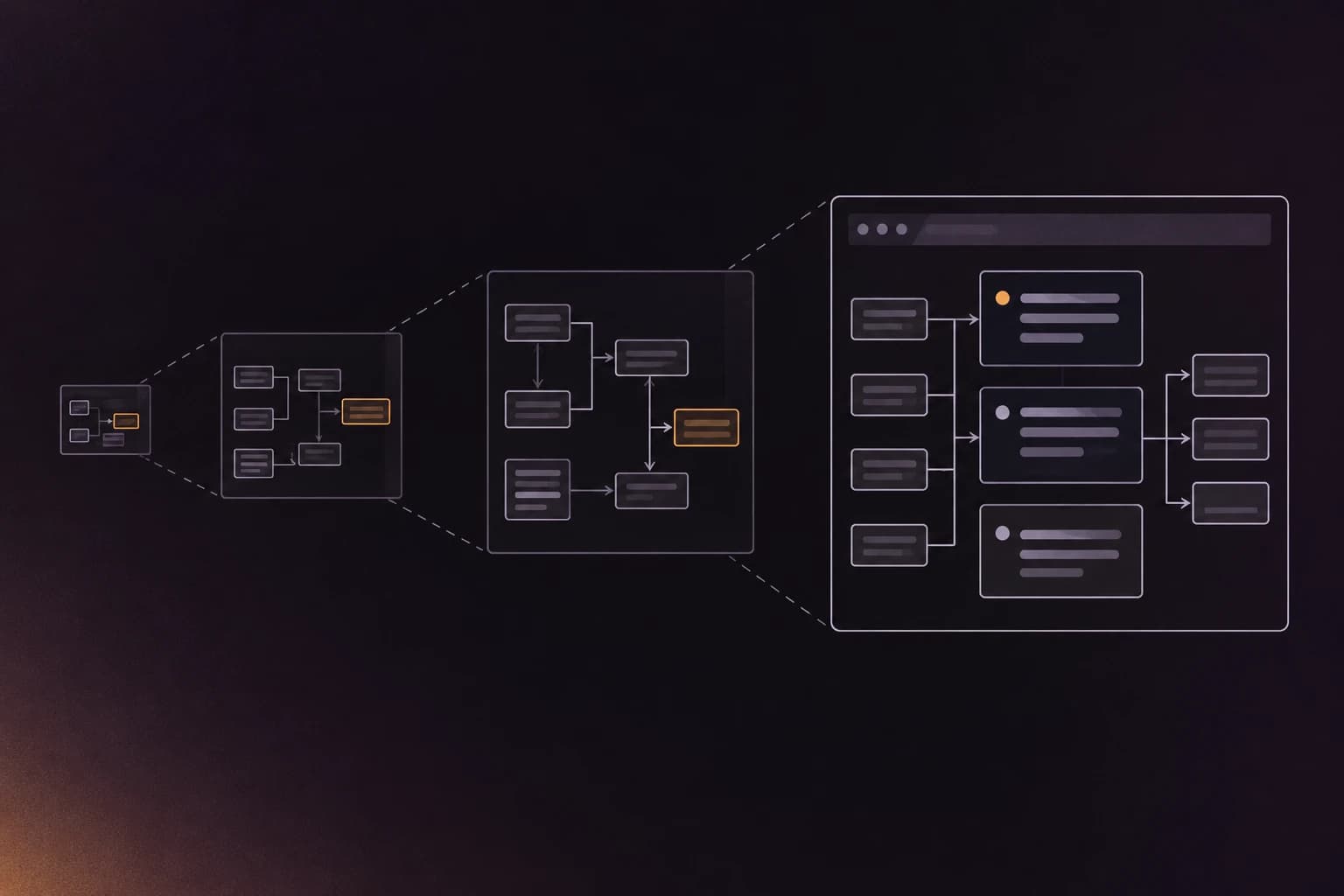
The four C4 levels are abstractions you zoom through: a software system contains containers, a container contains components, and a component is made of code. The diagrams follow the same nesting, so each one zooms into one box of the diagram above it. c4model.com, the official site, states that you do not need all four, and that system context and container diagrams are enough for most teams.
Level 1, system context. The system context diagram has a scope of a single software system and shows it in the middle with the people and other systems around it. c4model.com gives its audience as "everybody, both technical and non-technical people, inside and outside the software development team". There is no technology on this diagram. If it needs a legend explaining a protocol, it is showing too much.
Level 2, container. A container, in c4model.com's words, is "a runtime boundary around some code that is being executed or some data that is being stored": a server-side web app, a single-page app in the browser, a mobile app, a serverless function, a database, a blob store, a shell script. It is not a Docker container. The name was chosen to avoid implying anything about how the thing is deployed, and one Tomcat runtime can host several containers. The container diagram shows these units, the technology of each, and the protocol on each line between them.
Level 3, component. A component is "a grouping of related functionality encapsulated behind a well-defined interface", per c4model.com/abstractions/component. Components are not separately deployable; everything in one container shares a process space. A component diagram zooms into a single container, and is the level where developers on that container do their planning.
Level 4, code. The code level is a class diagram, entity-relationship diagram or similar for one component. c4model.com treats it as optional. In practice IDEs and generators can produce it on demand, and a hand-drawn one is out of date within a sprint.
What are the supplementary C4 diagrams?
Three supporting diagram types sit beside the four levels, and they cover things the static hierarchy cannot. c4model.com lists them as system landscape, dynamic and deployment.
| Diagram | What it shows (per c4model.com) |
|---|---|
| System landscape | The people and software systems within a chosen organisational scope, without centring on one system |
| Dynamic | How parts of the static model interact at runtime for one feature or user story; derived from the UML communication diagram |
| Deployment | How running instances of systems and containers are placed onto infrastructure in an environment such as production or staging |
Scroll the table sideways to see every column.
The landscape diagram is level 1 with no single system in focus, which suits a platform team that owns many. The dynamic diagram is how you show "what happens when a user resets a password" without redrawing the container diagram. The deployment diagram is where Docker, Kubernetes and cloud regions finally appear.
What notation does the C4 model use?
The C4 model is notation independent: it does not prescribe boxes of a certain colour or shape. It does prescribe that a diagram stand on its own without a narrator. The notation page asks for these things:
- A title that states the diagram type and scope, such as "Container diagram for Internet Banking System".
- A key or legend for shapes, colours, line styles and arrowheads, and definitions for acronyms.
- Each element labelled with its type (person, software system, container, component), a short description of its responsibility, and a technology on every container and component.
- Each line a one-way relationship, labelled in a way that matches the direction. "Uses" is called out as too vague. Lines between containers name the technology or protocol.
Colour is left to you, with the advice to stay consistent and to check greyscale printing and colour-blind readability. Most "bad C4 diagram" complaints are one of two things: unlabelled lines, or boxes with a name and no technology.
C4 model example: a full-stack web app at three levels
To make the levels concrete, here is the full-stack-fastapi-template repository (a FastAPI backend and a React frontend with Postgres behind it), drawn at levels 1 to 3. The facts come from a repowise index of commit f4bcfab (26 October 2026). The container and component facts below are what the code shows; the names of the databases and the protocols are the human-added parts.
Level 1. The system is the template's web application. One person uses it (an API client or a signed-in user), and it depends on external systems that show up as imports in its manifests: PostgreSQL (the README names it; the code reaches it through SQLModel and Alembic), SMTP email, Sentry, and npm libraries such as the Radix UI components, Zod and Axios. The generated model found 41 external systems, almost all libraries. A good level 1 diagram promotes only the ones a stakeholder cares about (the database, the mail server) and drops the rest.
Level 2. The generated model has four containers, taken from package manifests:
| Container (generated) | Technology | Size per the index |
|---|---|---|
app (the backend) | python | 51 files, 197 symbols |
frontend | typescript | 93 files, 310 symbols |
emails (React Email templates) | typescript | 11 files, 39 symbols |
| the repository root package | python | 41 files, 19 symbols |
Scroll the table sideways to see every column.
The root package is tooling, so you would hide it or fold it away. The backend and frontend are the two containers a reader expects, and the container diagram's job is to draw the line between them and name the protocol, here HTTPS with JSON, which comes from the OpenAPI client the frontend is generated with. No import connects the two directly, so that line comes from a person. That is the right split: code gives you the boxes and their dependencies, people supply the protocols.
Level 3. Zooming into the backend, repowise export --format structurizr --components adds one component box per directory. In backend/app those directories are api (routes and dependencies), core (config, database and security), alembic (migrations) and email-templates. This is the diagram a developer opening the repo for the first time wants, and it is also the one where "what counts as a component" is a judgement call. Directories are a good first answer.
How do you create C4 diagrams?
There are two jobs, modelling and drawing, and c4model.com recommends separating them. Its tooling page says a modelling tool builds a non-visual model of the architecture and creates views from it, which avoids the problems of diagramming tools: no validation, no queries, copy-paste reuse and formats that are hard to diff.
| Tool | Approach | Notes, as checked October 2026 |
|---|---|---|
| Structurizr | Text DSL, one model and many views | Created by Simon Brown; covers deployment and dynamic views. The DSL and CLI are free, and the self-hosted server needs a licence for the prebuilt binaries |
| PlantUML C4 | Text, via the C4-PlantUML library you !include at the top of a diagram | Diagram-as-code; you write each diagram, not a shared model. Ships in PlantUML's standard library (!include <C4/C4_Container>) |
| Mermaid C4 | Text in Markdown | C4 is a separate diagram type that the Mermaid docs still label experimental, with syntax that can change |
| LikeC4 | Text DSL, MIT licence | "Architecture as Code": one model block, views generated from it |
| IcePanel | Hosted visual modelling | As of October 2026: free plan with one editor and 100 model objects; Growth at $40 per editor per month billed annually |
Scroll the table sideways to see every column.
For a feature-by-feature comparison of the three text notations, read Structurizr vs Mermaid vs PlantUML for C4. This page stops at the model itself.
How do you generate C4 diagrams from code?
You can generate the container and component levels from a repository, because both leave evidence in the code: manifests mark containers, and directories and imports outline components. Levels 1 and 3 are partly inferable. Protocols and deployment are not. The longer treatment is in generate C4 diagrams from code.
repowise does this from the index it already builds. repowise export --format structurizr writes the C4 model as Structurizr DSL, with no model call and no API key. These are the commands used for the example above:
git clone https://github.com/fastapi/full-stack-fastapi-template.git fsft
cd fsft
repowise init --yes --no-prose --no-editor-setup
repowise export --format structurizr --standalone --output ../arch/
Wrote arch\workspace.dsl (4 containers, 41 external systems, 42 relations)
Open it by pasting into the Structurizr DSL playground, or render it locally with docker run --rm -p 8080:8080 -v .:/usr/local/structurizr structurizr/structurizr local. The generated model carries information C4 has no vocabulary for, written as tags on each box. In this run the backend and the frontend both carry a Hotspot tag, and three of the four containers (the root package, frontend and emails) carry Dead because each contains an unreachable file. Five lines of Structurizr styles colour them.
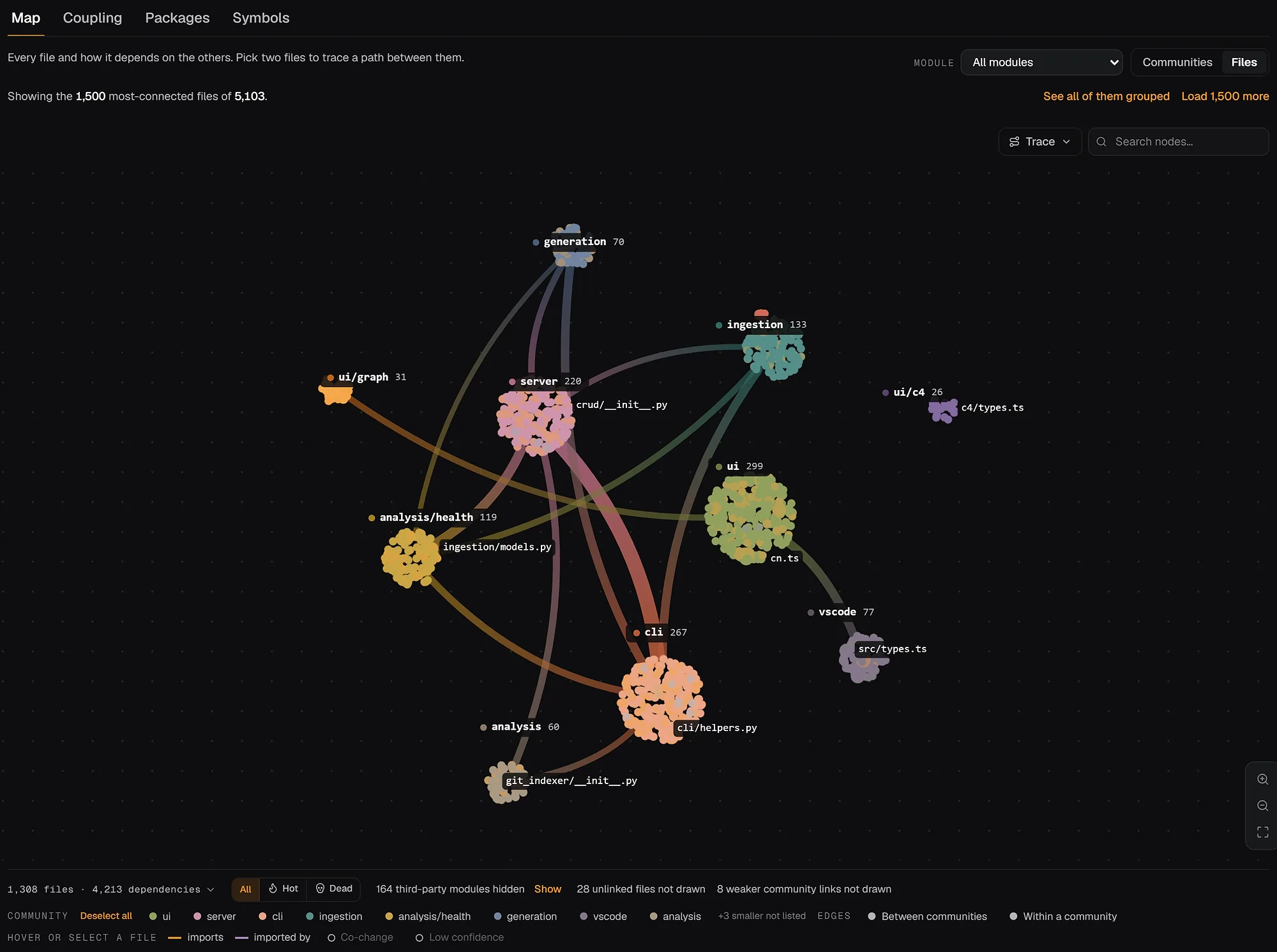
By default the command writes a model fragment you !include from your own workspace.dsl, so regenerating it never overwrites views you wrote. The --standalone flag writes a complete workspace for a first look. The same model is browsable on the web in the architecture views of an indexed repository.
Common C4 mistakes
- Docker containers drawn as C4 containers. A C4 container is a runtime boundary for code or data. Three Docker services running one codebase may be one container, and one Docker image may hold two.
- Components that are a folder dump. A component needs a responsibility you can state in one line, not just a directory name.
- Unlabelled arrows. Every line gets a direction and a verb, and container lines get a protocol.
- Drawing level 4 by hand. It goes stale fastest and IDEs can generate it.
- No legend. A diagram that needs the author in the room is not a C4 diagram by c4model.com's own standard.
FAQ
- What is the C4 model?
- The C4 model is a method for visualising software architecture at four levels of detail: system context, containers, components and code. Simon Brown created it, and it is notation independent, so you can draw it with boxes and lines, UML or a modelling tool. Its purpose is to let different audiences see the same system at the zoom level they need.
- What are the four levels of the C4 model?
- Level 1 is the system context diagram, level 2 the container diagram, level 3 the component diagram and level 4 the code diagram. Each one zooms into a box on the level above. Most teams draw only levels 1 and 2, with level 3 for the containers that need it.
- Is a C4 container the same as a Docker container?
- No. In the C4 model a container is a runtime boundary around code being executed or data being stored, such as a web application, a mobile app or a database. c4model.com notes that the term was chosen to avoid implying how the thing is run. A Docker container and a C4 container sometimes line up, but nothing requires it.
- What is the difference between a C4 container and a component?
- A container is separately deployable or runnable; a component is a grouping of related functionality inside one container, and all components in a container share a process space. If you could start and stop it on its own, it is a container.
- Do I need all four C4 diagrams?
- No. c4model.com says you do not need all four levels and that the system context and container diagrams are sufficient for most software development teams. Add component diagrams for containers that many developers change, and skip the code level unless a generator makes it for free.
- Which tool is best for C4 diagrams?
- Structurizr is the most complete for the full C4 model, Mermaid is the easiest to keep inside Markdown, and IcePanel suits teams that want a hosted visual editor. LikeC4 and PlantUML sit between them. The Structurizr vs Mermaid vs PlantUML comparison covers the trade-offs.
- Can C4 diagrams be generated from code?
- Partly. Containers come from package manifests, components from directories and import clusters, and external systems from imported packages. Runtime protocols, actors and deployment need a person. A generator that emits a model fragment, kept apart from your hand-written views, gives you a base layer that stays current.