On this page
- Pull request checklist: author and reviewer
- The pull request template: ready to paste
- Minimal template
- Feature template
- Bugfix template
- Where the file goes on GitHub and GitLab
- Which checklist items a bot can tick for you
- How the repowise PR bot checks them on every pull request
- Turning checklist rules into CI gates
- Optional AI review
- Pitfalls
- FAQ
A good pull request checklist is two short lists: one the author ticks before asking for review, and one the reviewer ticks before approving. Copy both from the next section, put the author list in .github/pull_request_template.md (or .gitlab/merge_request_templates/Default.md) so it appears on every new pull request, and automate the items a machine can check better than a person.
Pull request checklist: author and reviewer
The author checklist covers what only the author knows: intent, testing and risk. The reviewer checklist covers what the diff cannot show on its own: who calls the changed code and what usually changes with it.
Author checklist (before requesting review)
- [ ] The title says what changed and why, in one line
- [ ] The description links the issue or ticket and states the intent
- [ ] The change is one logical unit (split it if two reviewers would each own half)
- [ ] I read my own diff top to bottom on the PR page
- [ ] Tests cover the new behavior and the failure path, not only the happy path
- [ ] Tests pass locally and in CI
- [ ] No debug output, commented-out code, or unrelated formatting changes
- [ ] No secrets, tokens or personal data in the diff or the history
- [ ] Public contracts changed (function signatures, API responses, config keys)? Callers are updated or listed
- [ ] Docs, changelog and migration notes updated where a user would notice
- [ ] Screenshots or output attached for any visible change
- [ ] Rollout and rollback are described for anything touching data or infrastructure
Reviewer checklist (before approving)
- [ ] I understand why the change exists, not only what it does
- [ ] The approach fits how this part of the codebase already works
- [ ] Edge cases and error paths are handled (empty, null, timeout, retry)
- [ ] Callers of every changed function or endpoint still work
- [ ] Files that normally change together with these are in the PR or are justified as untouched
- [ ] Tests exist for the new behavior and would fail without the change
- [ ] Security: input validation, authorization, secrets, new dependencies
- [ ] Performance: no new query in a loop, no unbounded list, no hot-path allocation
- [ ] Naming and comments will make sense to someone who was not in this review
- [ ] The change is small enough that I reviewed all of it
Checklists decay when they grow. Past roughly ten items, people tick boxes without reading them. If a line is never the reason a review finds something, delete it or automate it.
The pull request template: ready to paste
Save the following as .github/pull_request_template.md and every new pull request opens with it filled in. This is the default template; variants for smaller and more specific changes follow.
## What and why

<!-- One or two sentences. Link the issue: Closes #123 -->

## How it was tested

<!-- Commands run, environments, screenshots for UI changes -->

## Risk and rollout

<!-- What could break, who is affected, how to roll back. Write "none" if none. -->

## Author checklist

- [ ] I read my own diff
- [ ] Tests added or updated, and they pass
- [ ] Callers of changed contracts are updated
- [ ] Docs or changelog updated if users will notice
- [ ] No secrets, debug output or unrelated changes

## Reviewer notes

<!-- Where to start, what you are unsure about -->
Minimal template
For small teams and small changes, three prompts are enough.
## What changed and why

## How I tested it

- [ ] Tests pass
- [ ] I read my own diff
Feature template
## Feature

<!-- User-facing behavior in one paragraph. Link the spec or issue. -->

## Screenshots or recordings

## Rollout

- [ ] Behind a flag, default off
- [ ] Metrics or logs added to tell if it works
- [ ] Docs updated

## Tests

- [ ] Unit tests for new logic
- [ ] An integration or end-to-end test for the main flow
- [ ] Failure and permission paths covered
Bugfix template
## The bug

<!-- Symptom, how to reproduce, the issue link -->

## Root cause

<!-- Where it actually went wrong, not where it showed up -->

## The fix

## Verification

- [ ] A test that fails on the old code and passes on this branch
- [ ] Other callers of the fixed code checked for the same mistake
- [ ] Regression risk described
Where the file goes on GitHub and GitLab
As of October 2026, per the GitHub documentation on pull request templates, GitHub picks up a single template named pull_request_template.md in the repository root, in docs/, or in .github/. .github/ is the usual home because it keeps the root clean.
| Platform | Default template (fills every new PR/MR) | Several templates |
|---|---|---|
| GitHub | .github/pull_request_template.md (also root or docs/) | Files in .github/PULL_REQUEST_TEMPLATE/ (also in root or docs/); pick one with ?template=bugfix.md on the compare URL |
| GitLab | .gitlab/merge_request_templates/Default.md | Any .md file in .gitlab/merge_request_templates/, chosen from the "Choose a template" dropdown |
Scroll the table sideways to see every column.
On GitHub, multiple templates are not shown in a picker. You pick one by adding a query parameter to the new pull request URL, for example https://github.com/OWNER/REPO/compare/main...my-branch?template=bugfix.md, so teams usually link those URLs from their contributing guide. Files in the PULL_REQUEST_TEMPLATE/ folder do not apply on their own; only a file named pull_request_template.md fills every pull request. An organization can also publish a default in a .github repository as a community health file, which every repository without its own template inherits.
On GitLab, per the GitLab description templates documentation, templates are Markdown files in .gitlab/merge_request_templates/ on the default branch. Name one Default.md (case-insensitive) and it pre-fills every new merge request, unless a default is set in project settings (Premium and Ultimate), which takes priority. Every template shows up in the "Choose a template" dropdown, and picking one copies it into the description. The wording differs from GitHub: GitLab says merge request, GitHub says pull request, and the template mechanism is the same idea.
Templates are a nudge, not a gate. Nothing stops an author from deleting the checklist. To enforce a rule, move it into CI or a required status check.
Which checklist items a bot can tick for you
A reviewer can verify that error handling looks right. A reviewer cannot reliably verify who else calls the function that just changed, because those callers are not in the diff. That asymmetry is where automation pays: the items that need the whole repository, not the pull request, are the ones humans skip.
| Checklist item | Why a person misses it | Can it be automated? |
|---|---|---|
| Callers of a changed contract still work | The callers are in files the diff does not show | Yes, from a call graph |
| Files that usually change together are in the PR | It lives in git history, not in anyone's head | Yes, from co-change history |
| The right tests ran | Which suites import the changed file is a lookup, not a judgment | Yes, from the import graph |
| Health did not drop; no new dead code | Needs a before and after of the files touched | Yes, deterministic scoring |
| The approach fits the design | Needs judgment about intent | Partly: a model can flag, a person decides |
| The title explains why | Needs judgment about intent | A person |
Scroll the table sideways to see every column.
The two checklists above lose their weakest lines to automation: the "callers still work" and "files that move together" items are exactly what the repowise PR bot checks.
How the repowise PR bot checks them on every pull request
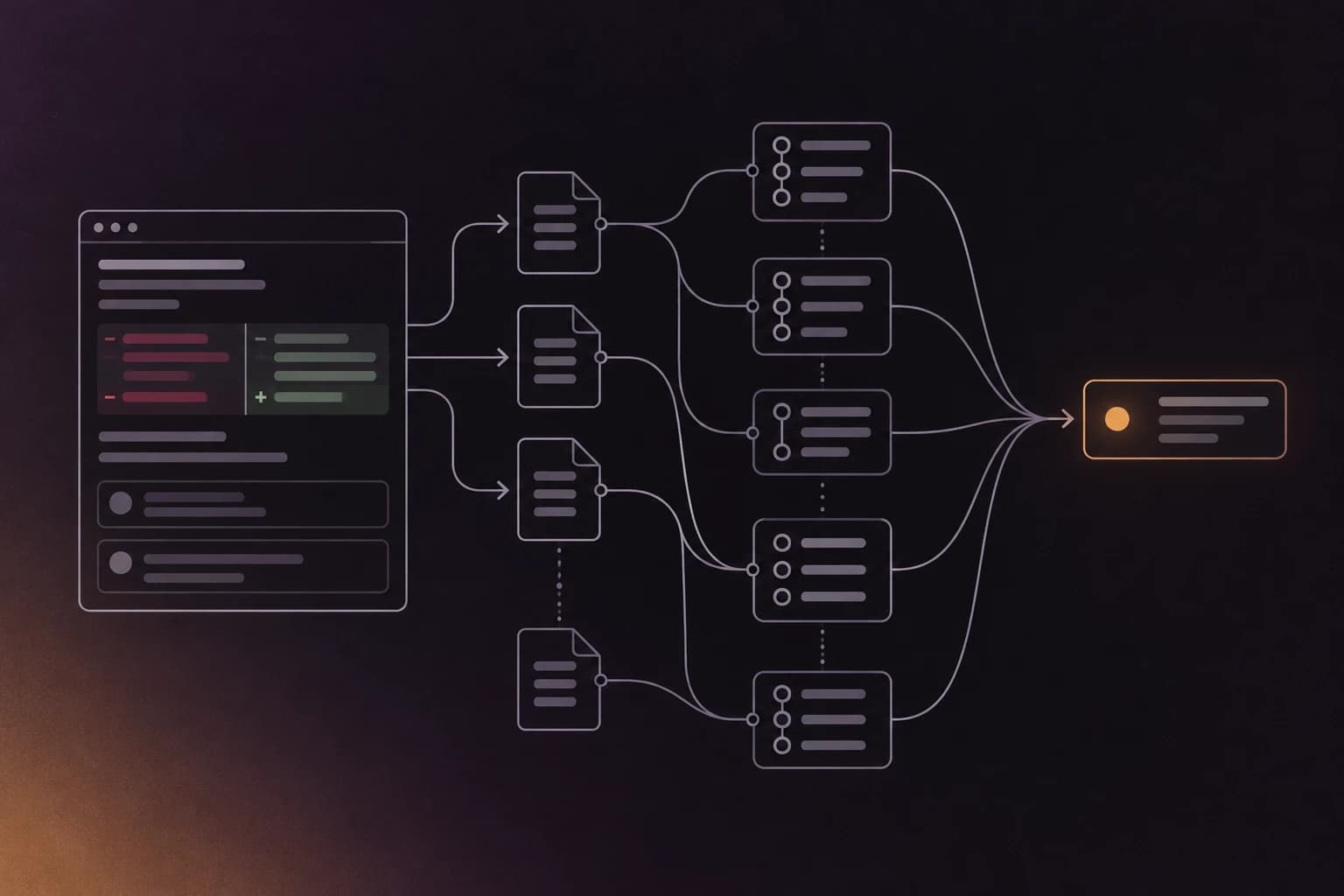
The repowise PR bot reads the index of your repository and posts a comment on a pull request with compact signal lines and a "View on repowise" button that opens a per-PR page with the full detail. Pages for public repositories need no sign-in; private ones need sign-in with repository access. It has two modes. Signals is free and deterministic, with no model call and no code leaving your repository, and it comments only when a threshold is crossed. AI review is optional on Pro. The same diff always produces the same Signals comment.
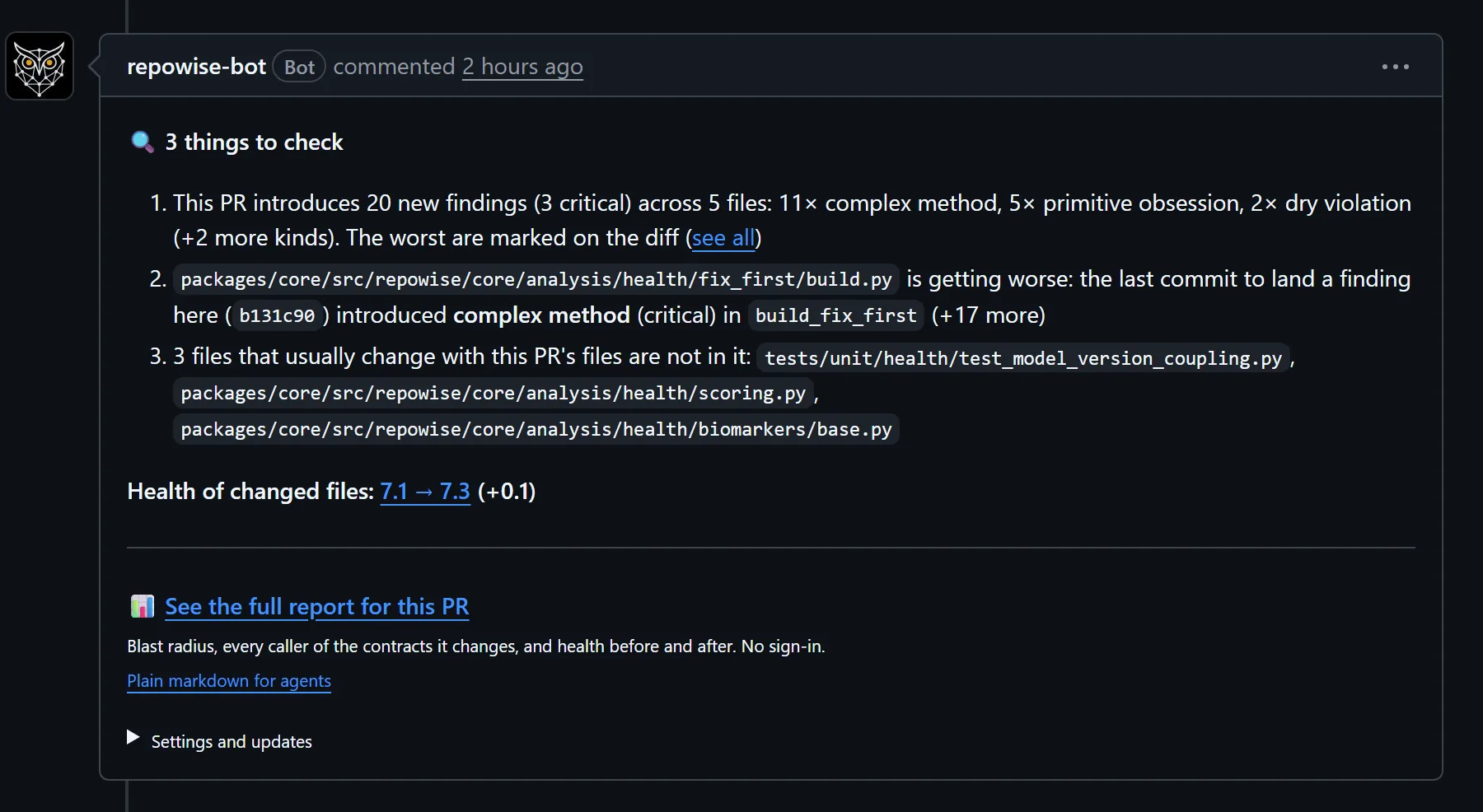
Each of the four automatable checklist items maps to a line in that comment:
- Callers a change breaks. When a pull request changes a function's signature, the bot names the callers outside the pull request. In a real comment on repowise-dev/repowise #2650:
hook_flag_enabledadded the required*, and 5 callers outside the PR still expect the old signature. The check is at symbol level, so a body-only edit stays quiet. This is the blast radius of the change. - Files that usually change together. In #2599, one dialect file "changed with" another "in 11 past commits and is not in this PR". If a companion file is missing, the bot says so, and says how often the pair has changed together.
- Tests that reach the change. In #2609 the bot lists the test files that import the changed files, found from the import graph: "Run these first". Without a coverage report this is an estimate from imports, not measured coverage; connect a coverage report and the bot reports patch coverage and uncovered ranges.
- Health and dead code. The comment reports the health of changed files before and after, hotspots, new findings introduced in the added lines, and new dead code (unreachable files or unused exports the branch created). Cleanup is cheapest while the branch is open.
Those are four of the conditions that make Signals speak; a pull request that crosses none of the thresholds gets no Signals comment. New commits edit the same comment in place, and a "repowise review" check run on each push shows the commit was reviewed. It never fails the build unless you turn the health gate on. Comment /repowise recheck on a pull request to run it again. The full list of triggers is in A PR bot that stays silent until a pull request needs it.
Behind the same engine is change risk, a per-change score judged against your repository's own recent commits instead of a global constant. The bot can also gate a merge on it, but the gate is off by default.
Turning checklist rules into CI gates
A template line that people forget is a candidate for a gate. As of October 2026, the repowise CI gates can fail a change on patch coverage, change risk, documentation drift or security findings, each configured with a threshold:
- uses: repowise-dev/repowise@v0.59.0
  with:
    checks: coverage,doc-drift,security,risk
    coverage-report: coverage/lcov.info
    coverage-fail-under: 80
    risk-fail-above-percentile: 95
The same gates run on GitLab CI and as plain commands in any other CI. Keep the human checklist for judgment and let the gates carry the rest.
Optional AI review
On Pro, AI review runs a model pass on every pull request that changes code and goes deeper when the change is risky. Depth is light, auto or deep per repository (auto by default), and /repowise review deep asks for a deep review on any pull request. Drafts get the quick pass, and the deep evaluation runs when the pull request is ready for review. On auto depth a deep review runs once on a risky pull request. Each confirmed point posts as a thread on the line it cites, and, when a coverage report is connected, one "Tests for this change" thread lists the changed code with no test. It costs about about 9 cents per pull request on average, and it is separate from the free Signals comment. A real example is repowise-dev/repowise #4506. The checklist and the deterministic signals work without it.
Pitfalls
A long template teaches people to skip it. If more than half of the PRs in your repository leave every box unticked, the template is too long or the boxes are not tied to anything real. Cut it to the lines that have caught a bug.
Checkboxes without a consequence are decoration. A box that nothing reads is an opinion. Pick the two or three that matter most and back them with CI.
One template for every kind of change. A typo fix and a database migration do not need the same form. Keep a small default and use the feature and bugfix variants for the changes that warrant them.
Large pull requests defeat any checklist. Nobody ticks "I reviewed all of it" honestly on an 1,800-line diff. Size is the upstream problem; see how to keep pull requests small.
FAQ
- What should be in a pull request checklist?
- An author list: clear title and description, linked issue, own diff read, tests for new behavior and failure paths, no secrets or debug code, callers and docs updated. A reviewer list: intent understood, approach fits the codebase, edge cases, callers of changed contracts, security and performance, tests that would fail without the change. Keep each list under ten items.
- What is a pull request template?
- A pull request template is a Markdown file in your repository that pre-fills the description of every new pull request. On GitHub it is
.github/pull_request_template.md; on GitLab it is.gitlab/merge_request_templates/Default.md. It standardizes what authors report and puts the checklist where they are already writing. - Where do I put a pull request template on GitHub?
- Create
pull_request_template.mdin.github/, the repository root, ordocs/. For several templates, put files in aPULL_REQUEST_TEMPLATE/folder and select one with atemplatequery parameter such as?template=bugfix.mdon the new pull request URL. An organization can set a default for all repositories in a.githubrepository. - Can I have multiple pull request templates?
- Yes. On GitHub, store them in
.github/PULL_REQUEST_TEMPLATE/and choose with?template=<file>.md. On GitLab, add any number of.mdfiles to.gitlab/merge_request_templates/and choose from the dropdown, withDefault.mdused automatically. - How do I write a good pull request description?
- State what changed and why in the first two sentences, link the issue, say how you tested it, and name the risk and the rollback. Add screenshots for visual changes. Reviewers should be able to decide where to start without reading the diff.
- How do I enforce a pull request checklist?
- A template cannot enforce anything because authors can delete it. Use required status checks and branch protection for the rules that matter: tests passing, coverage on changed lines, security findings and review approvals. Some teams add an action that fails when required checkboxes are unticked, but a check tied to real data (coverage, risk, tests run) is harder to game.
- Can a bot review pull requests against a checklist?
- A bot can check the items that depend on repository-wide data, such as callers of a changed function, files that usually change with it, tests that import it, and health or dead code introduced. The repowise PR bot does this deterministically and comments only when a signal fires. Items about intent and design still need a human reviewer.
- How long should a pull request template be?
- Short enough that people read every line: under ten checkboxes and three or four prompts. Teams that add a line after every incident end up with a template nobody reads, so retire lines when automation or CI covers them.