v0.62.0
A deeper PR review, one setup page, and performance you can measure
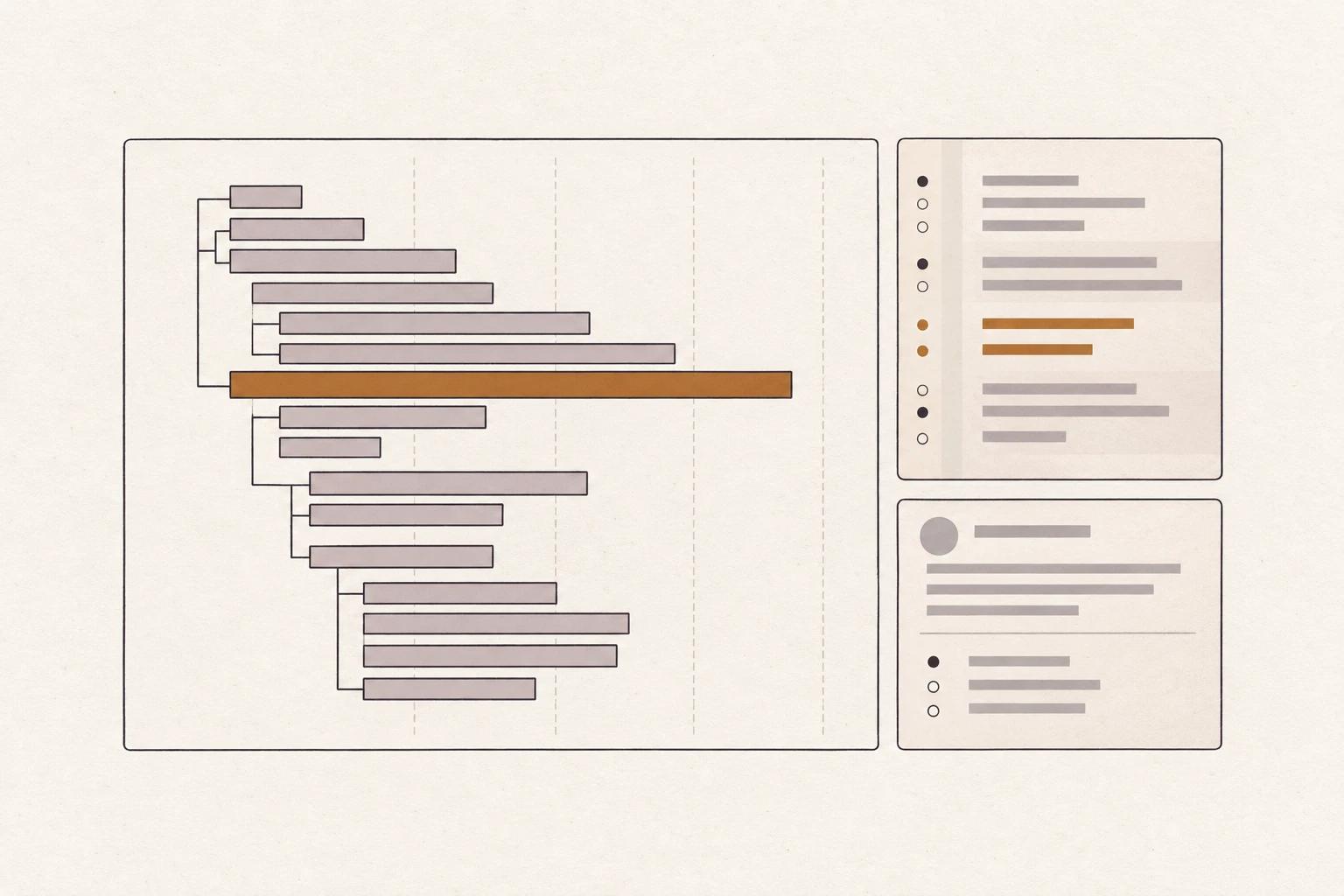
This cycle was about evidence: what a review can prove before it speaks, and what your code costs when it actually runs. On repowise.dev the PR bot's deep review hunts for bugs past the edges of the diff, setup lives on one page, the Performance tab reads the runs your CI measures, Usage & savings counts what your agents saved, and each repository gets a repo report with its next index. The 0.62 engine joins profiles, benchmark results and test timings to your functions, writes a repo report after the first index, rebuilds Usage & savings around how much less your agents read, and answers an agent's first question on a new server in about half the time.
A deep review that hunts past the diff
On repowise.dev.
Deep AI review is the default on a paid plan, unless you already picked a review mode or depth. Four hunters run at once, each aimed at one class of bug: contracts and propagation, error paths, state and lifecycle, and data and boundaries. They search the code your change reaches outside the diff, including the readers of a key, constant or parameter the change edits, and a verifier checks every claim before the bot posts it.
- Several sites of one defect become one thread, with a "Same cause also at" line, so the review spends its slots on distinct bugs.
- A thread resolves on its own when a later push removes the defect, and a "fixed in abc1234" reply always gets an answer: confirmed and resolved, or "Still holds" with the reason.
- A push the review raises nothing on gets one short comment with the verdict ("Safe to merge" once everything checked holds), what the change does, and what was checked.
- Pick the effort per pull request with the
repowise: deep,repowise: lightorrepowise: offlabels, or/repowise review deep. Bot settings set the default as light, auto or deep, with each level's cost per PR.
The PR page opens on the same verdict, a one-sentence summary and what was checked, with one "Copy fix prompt for your agent" button when something is open. Everything else folds below.
Setup on one page
On repowise.dev.
/setup is one checklist: index, coding agent, PR bot, test coverage and
team. Each row shows whether it is done, with one action, and any step can
run again. While steps are open, a prompt that hands the rest to your agent
leads the page. A thin ring on the Setup row tracks the required steps, the
connect card on every repository's overview adds another editor or agent,
and the repository sidebar is slimmer.
Test coverage setup leads with your coding agent: the PR bot's checks line links the coverage card, which opens on the agent prompt, and the bot offers to open a setup pull request for a stack whose test command it knows.
Agents can drive the PR bot from the terminal with the 0.62 CLI:
repowise bot status --format json returns the bot's state and the one next
step with who does it, and repowise bot ai on --depth deep turns AI review
on.
Measured performance from your CI
On repowise.dev.
A default-branch CI run can send a profile, benchmark results or test timings
to Repowise, signed with the workflow's identity token like the coverage
upload, so there is no secret to store. It takes any file repowise evidence add reads. The workflow step and its limits are on Runtime evidence from
CI, and the Performance tab, PR bot settings
and an optional Performance evidence step on /setup copy a prompt that has
your agent add it.
The Performance tab ranks from the run measured at the indexed commit, and says so when there is none yet or a newer run waits for the next index. It shows how the run's time splits, the slowest tests and the test time each production file costs, the trend across runs with what changed, and self and total time on each hot function. Causes a real run confirms lead the queue, and a function the run measured hot is listed even when no static cause names it. A profile with too little signal to rank comes with a prompt that switches its step to py-spy.
The repo report on repowise.dev
On repowise.dev.
Each repository gets a repo report with its next index: what Repowise found, most urgent first, in plain language, each item with its place in the code and a "Fix with your agent" prompt. Open it from the Repo report card on the Overview or from the command palette. Your first index email leads with the report's top three items.
Sharper answers for your agents
On repowise.dev.
The hosted MCP server carries the 0.62 answer work.
- A scoped
get_answerstays inside the directories you name and ranks shipped code ahead of tests and tooling. - A
get_answerreply points to the file to read to verify it. get_symboltakespath:line.search_codebasereads each alternative of ana|bpath query, finds a declaration by its exact name, and names the enclosing symbol on a call line.get_riskreplies stay lean: the repository's hotspots come back when an agent asks for them.
Decisions your agent reviews
On repowise.dev.
The Decisions page leads with an agent prompt that finds the decisions in your code. "Review the whole queue" copies a second one that works through every record, and each record has its own "Check with your agent" prompt.
Usage & savings
On repowise.dev.
The costs page is Usage & savings, on the same layout as the open-source dashboard. Your agents' MCP calls on repowise.dev record what they saved, so the page shows how much less they had to read, counted in tokens. Beside it: where your credits went, job by job, your recent charges and your balance.
Runtime evidence on the Performance tab
Open-source release.
repowise evidence add reads a profile, benchmark results or test timings
as the tool wrote them, and joins each entry to an indexed function at the
commit it measured: Speedscope JSON from pyinstrument or py-spy, Go pprof,
V8 .cpuprofile, collapsed stacks, pytest-benchmark and hyperfine JSON,
go test -bench -benchmem output and JUnit XML. repowise evidence setup
prints the profiler command, the output path and the exact ingest line for
each build unit, and --write adds a CI file that collects coverage and test
results on every pull request.
With evidence stored, causes a real run confirms lead the performance queue,
a measured run keeps a cause in the queue that the static cold-path guess
would have set aside, and a function a run measured hot with no static cause
becomes a work item. Each row says what the evidence showed, down to "not
exercised in <workload>". Code Health's Performance tab shows the measured
workload, its costliest functions with share, interval, callers and tests,
and an agent prompt per row. repowise evidence tests lists the slowest
tests and the test time spent on each production file.
Two commands compare before and after a change: repowise perf measure
times a command with a bootstrap interval and says improved, regressed or
inconclusive, and repowise perf check fails when a Go benchmark allocates
more per operation than its baseline.
A repo report after the first index
Open-source release.
init writes a repo report after the first index, free: what Repowise
found, most urgent first, in plain language, each item with its place and a
"Fix with your agent" prompt. repowise report reads it live against the
index, with what was fixed and what is new since. repowise mark <id> done
(or ack, false-positive, snooze) records an answer that the dashboard
and repowise next both read. The Overview's Repo report card opens the
same report, with a Mark menu on each item and a share menu for a link,
Markdown, PDF or JSON.
Faster, sharper agent calls
Open-source release.
- A full keyless
get_answercall on a large Go repository takes 1.8 s at the median and 3.2 s at p90, from 6.6 s and 19.4 s. - A new MCP server imports only the tools its profile serves, builds its
caches while it waits for the first call and loads a sealed copy on the
next start: the first
get_answertakes 3.4 s instead of 8.0 s on a large C++ repository and 2.2 s instead of 6.4 s on a large Python one. - Every tool schema is 12% to 21% smaller.
get_contextreferences are 30% to 46% faster at the median, with the same replies, and four precision fixes leave Go uses from other packages, same-named members of other classes and C and C++ comments out.- A scoped
get_answerstays inside its scope (out-of-scope items 15 to 0), reads a scope of several directories as their union, and names a directory the index lacks. Every reply names the line it rests on. search_codebasefinds definitions in files the index skips (12 of 12, from 5) and reads each alternative of ana|bpath query (7 of 8, from 1).get_symboltakespath:lineand a bare file path.- The block
initwrites into.claude/CLAUDE.mdleads with a scoped rule: for a how, where or why question, call a Repowise tool before Grep or reading files. In paired runs, Claude Code called Repowise in 12 of 21 tasks on Haiku 4.5 instead of 3, and 8 of 8 on Sonnet 5.5 instead of 2 of 7.
Setup that finishes itself
Open-source release.
init ends on who to restart and what to ask: it names every agent whose
config it wrote, gives installed agents it did not wire their exact command,
and suggests one first question. repowise next ranks the remaining setup
steps (sync hook, coverage, runtime evidence, decisions, a model) with the
rest of the work, and repowise next --prompt setup hands all of them to
your agent in one prompt. The dashboard welcome waits for your agent's first
call, a workspace gets its own welcome and one setup table for every
member, and the dashboard shows dates in your time zone (Settings >
Display).
Usage & savings, rebuilt
Open-source release.
The Usage & savings page leads with how much less your agents had to read,
then tokens, files not opened, dollars saved, a trend, the jobs the savings
came from and Repowise's own model spend for the same window, over 7 days,
30 days or all time. Checks your agents ran shows how often agents
called the change risk, why, file risk, health and unused code tools, and
what came back. repowise saved prints the files not opened.
Also in this release
- The open-source CLI has a review-all decisions prompt that works through every background record.
- On repowise.dev,
/try-prostarts the no-card Pro starter in one click. - On repowise.dev, updates after a push finish faster on mid-size repositories (2,000 to 8,000 files): 409 s at the median instead of 567 s, and 640 s at p90 instead of 1,054 s.
- Local semantic search runs inside the repowise process, with no service and
no key:
pip install "repowise[local-embed]", thenrepowise reindex --embedder fastembed. Opt-in. - Perl 5 (
.pl,.pm,.tand Perl scripts) is a supported language. - Impacted-test selection runs the tests that cover the functions a Python change edits, through the per-test coverage map.
- Build units for Swift (
.package(path:)), Dart (pubspecpath dependencies), PHP (Composer path repositories), Delphi and Lazarus, and Elixir umbrella apps; Go reads localreplacedirectives. - Every security surface shows a secret by its kind and location only. On
repowise.dev that covers the Security tab,
get_securityand the PR bot's security line. - Ownership counts one person once across names and emails, and leaves bot accounts out.
repowise coverage exportpacks the per-test map into a small file for an upload from CI, andrepowise coverage statusnames the production files a report leaves out.repowise doctorstates each agent's MCP tool surface and catches a server registered twice.- Settings > Agents has an always-load switch and a config snippet per agent.
Upgrading
pip install --upgrade repowise
You don't need to re-index. The first repowise update re-scores health,
re-parses once, re-reads git history for ownership and reruns the security
scan, all with no model calls. Performance opportunity ids from the previous
model resolve as stale with a refresh hint; re-read the queue for the new
ones. repowise search defaults to --mode auto and --limit 5. Details
are on Upgrading.
Thank you
This release includes work from 38 contributors outside the core team.
- @dchaudhari7177#6013, #6017, #6018, #6019, #6020, #6023, #6040, #6041, #6063, #6065, #6067, #6070, #6071
- @rishu685#3802, #5333, #5642, #5643, #5645, #5712, #5714, #5716, #5718, #5720
- @HengYangDS#5683, #5696, #5705, #5722, #5724, #6083
- @nightious#5684, #6076, #6077, #6078, #6080, #6081
- @marcello-pichini#5663, #5665, #5666, #5670, #5671
- @jgt87#5727, #5728, #5740, #5958
- @SteelOtter1242#5695, #5710, #5730, #5731
- @Lil-Clanky#5834, #5839, #5861
- @RishabhIIITD#5996, #5999, #6000
- @Laex#5846, #5883
- @raphaelbahat#5518, #5597
- @wanjinhao1#5751, #5945
- @A2wkiller#6050
- @aazminu#4100
- @aj-codespy#5736
- @alibro005#6056
- @Asymtode712#5540
- @emreocell#5887
- @EnesKartal#6039
- @gelatoni-xh#5863
- @hskl18#5917
- @iamcipherdev#6037
- @IG-ABHINAV#5412
- @Imad2702#5770
- @inverteum#5940
- @Jainil-devaliya28#5800
- @kapusta123b#6053
- @keshtib07-ghost#5667
- @leo7martins#6057
- @phanindra798#6016
- @rajuriprathik-a11y#5865
- @RiccardoBifulco#6051
- @rise11hx-cmyk#5876
- @sainimal1ba-hue#6101
- @saruk-vedant#6072
- @suyashgitt#5672
- @Yi-111-a#3800
- @zaidrain06#5995
Run this release on your repo.
Index a repository free and see what this release finds in it. Or explore a live repo first.