Repowise hosted
Your laptop sleeps. Your codebase doesn't.
The open-source CLI knows your code while you run it. repowise.dev keeps knowing it, for you and everyone you work with, with the same engine. Here is one ordinary working day, and what hosted does at each point that a laptop can't.
9:00
Already up to date
A teammate pushed at midnight. When you open your laptop, the architecture map, the docs, the hotspots and the health scores already include that change.
repowise.dev watches the GitHub repo. Every push starts a fresh index in the cloud, with a check every 30 minutes as a backup. Nobody has to remember to run an update, and nothing runs on your machine.
Why the laptop can't
A local index only moves while your laptop is on and the CLI runs. A teammate's midnight push waits until you pull and update.
Pro and Teams: a new index on every push. Free: public repos with a Repowise badge refresh every week.
How auto-sync works
repowise.dev/repo/repowise-dev/repowise: up to date with upstream, refreshed on every push. 10:40
Ask from anywhere
On the train, you ask Claude why checkout got slow, from your phone. The answer comes from your real code: the function, the callers it reaches, the commit that changed it.
Every repo on repowise.dev has its own MCP address. Add it to Claude.ai, Claude Desktop or ChatGPT as a connector, sign in once, and the tools your coding agent uses on your laptop work in the browser and on your phone too.
Why the laptop can't
A local MCP server listens on localhost. Claude.ai, ChatGPT and cloud agents run on other people's servers, and they cannot reach localhost.
Free on public repos (AI answers come from the free 10 a month). Private repos: Pro and Teams.
Connect Claude.ai or ChatGPT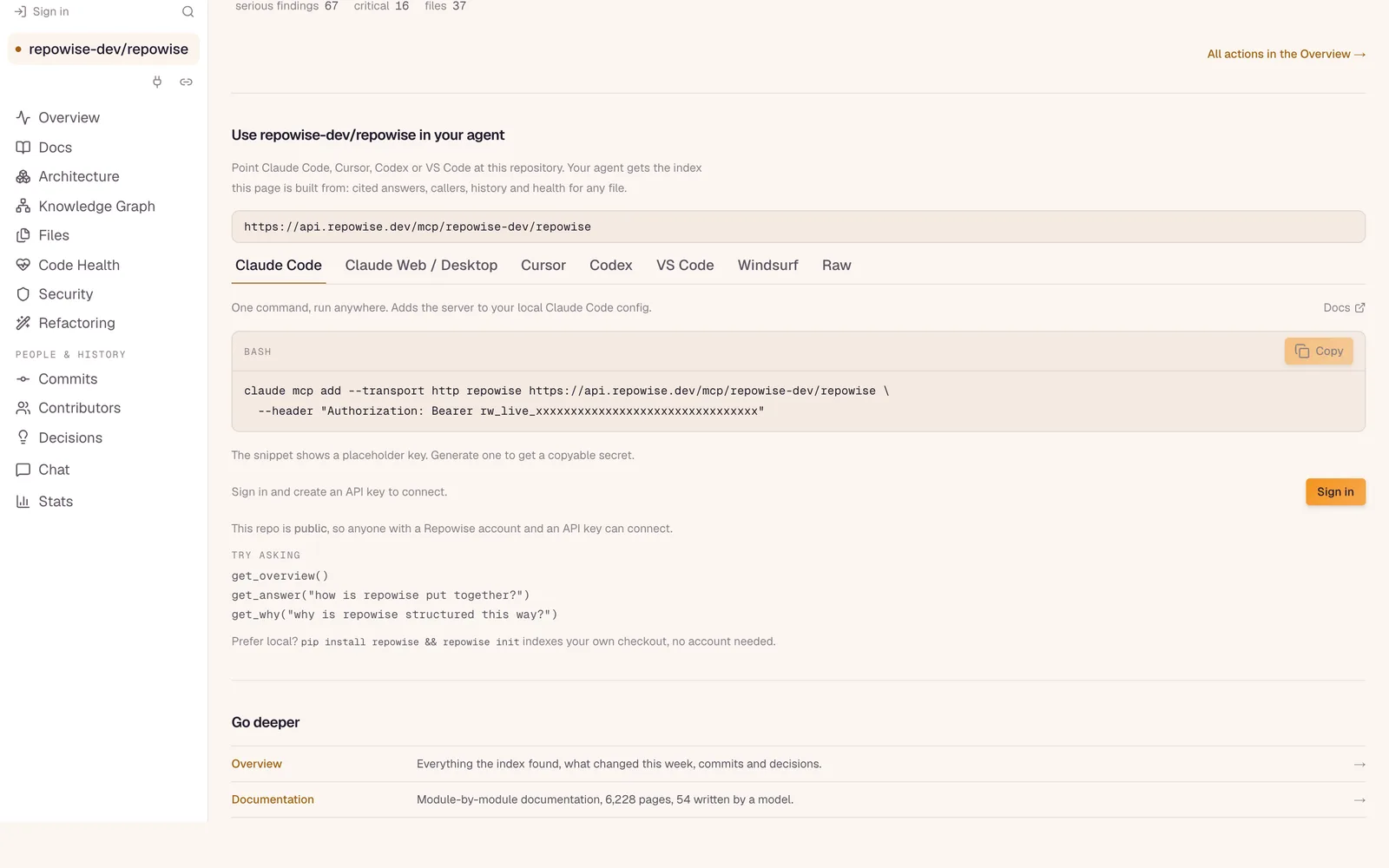
Every hosted repo has its own MCP address, with setup for each app. 11:15
The review is waiting for you
A pull request opens. Before anyone looks at it, the PR bot has posted one comment: the callers the change reaches, the files that usually change with it but were left out, and the tests to run first.
A merge check sits beside it, so a risky change waits for a second look. When a pull request is fine, the bot stays quiet.
Why the laptop can't
A comment on a pull request needs something listening to GitHub all day, for every pull request, including the ones you did not open.
Free on public repos. Private repos: Pro. Teams covers the whole organization.
See the PR bot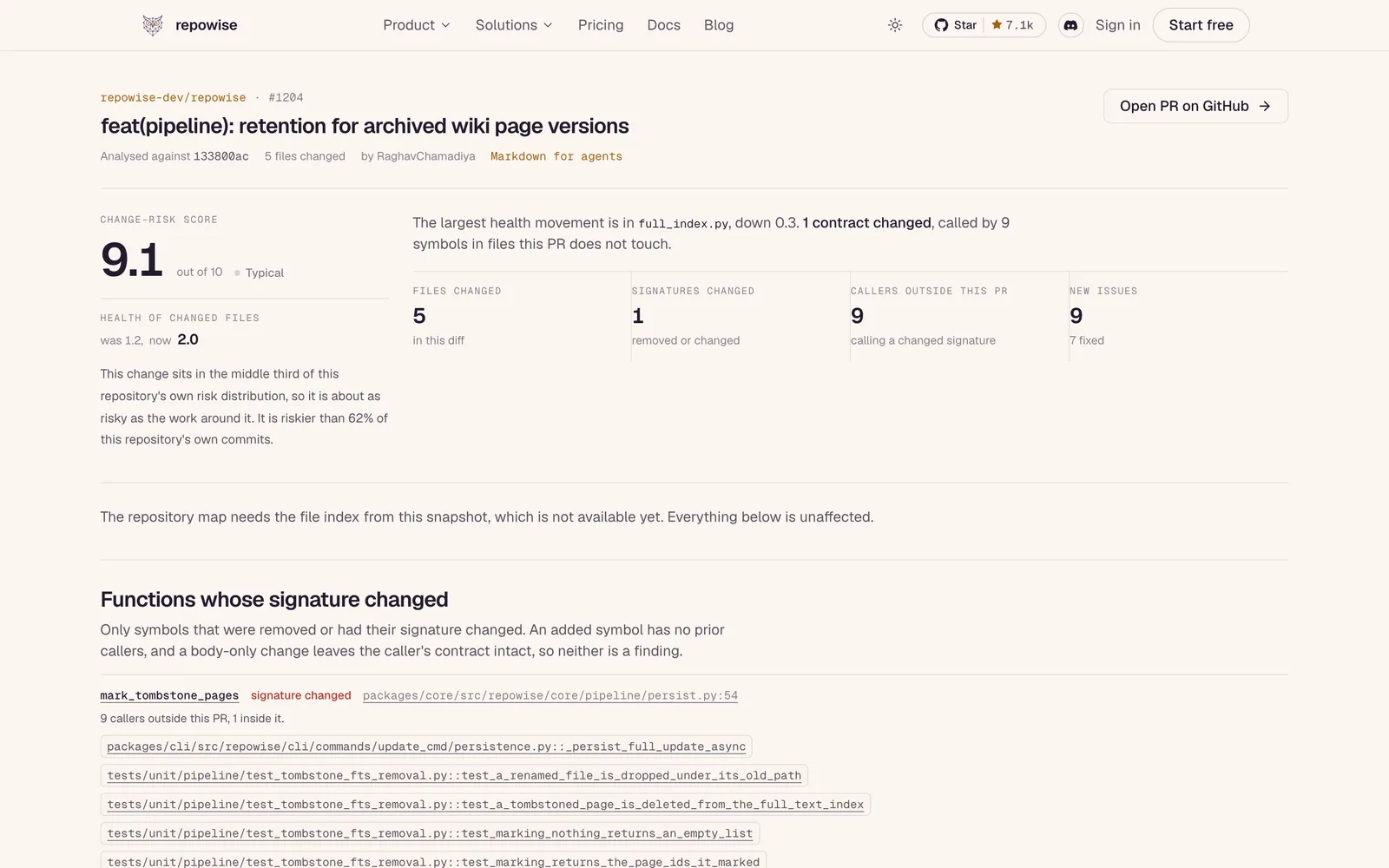
repowise.dev/pr/repowise-dev/repowise/1204: the page behind the PR bot's comment. 14:30
A leaked key, caught early
The scan of your whole git history finds an API key someone committed months ago and deleted the next day. It is gone from the code, but it is still in the history, and it still works.
After every index, repowise.dev scans every commit for secrets, and every night it checks your dependencies against newly published vulnerabilities. On Teams, the alert can also go to a Slack channel.
Why the laptop can't
A nightly check needs a machine that is on at night. A scan you have to remember to run finds the key after someone has used it.
Pro and Teams. Slack alerts: Teams.
See the security view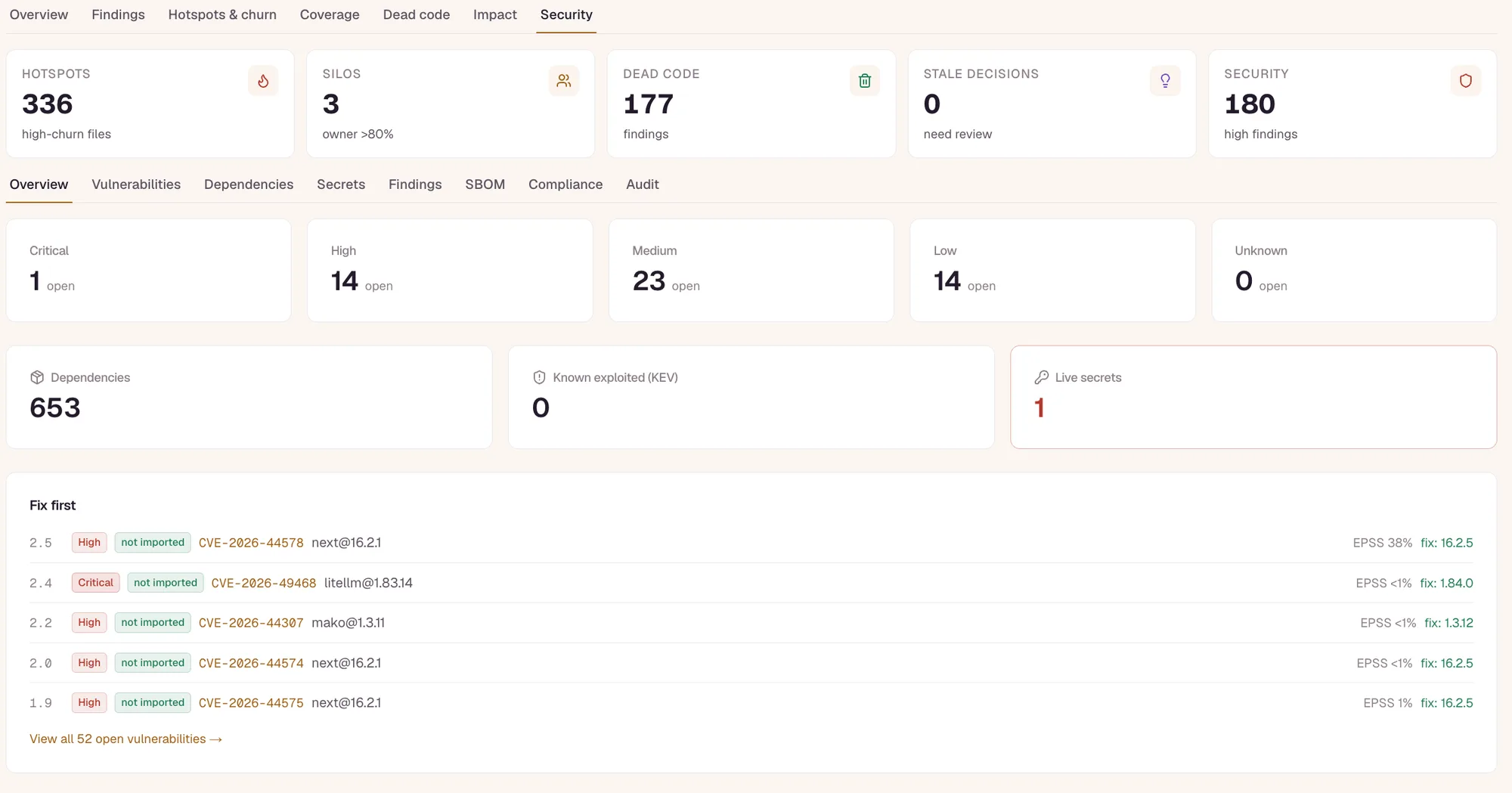
The security view: secrets from the whole git history and dependency findings on one screen. 16:00
One link for the new hire
A new hire starts on Monday. You send one link, and it opens the architecture, the docs, the guided tour and the code health in any browser.
Repo pages, share links, PR pages and README badges work for anyone, with nothing to install and nothing to explain.
Why the laptop can't
The local web UI runs on localhost. A link to localhost only opens on your own machine.
Every plan, free included.
Open Repowise's own repo page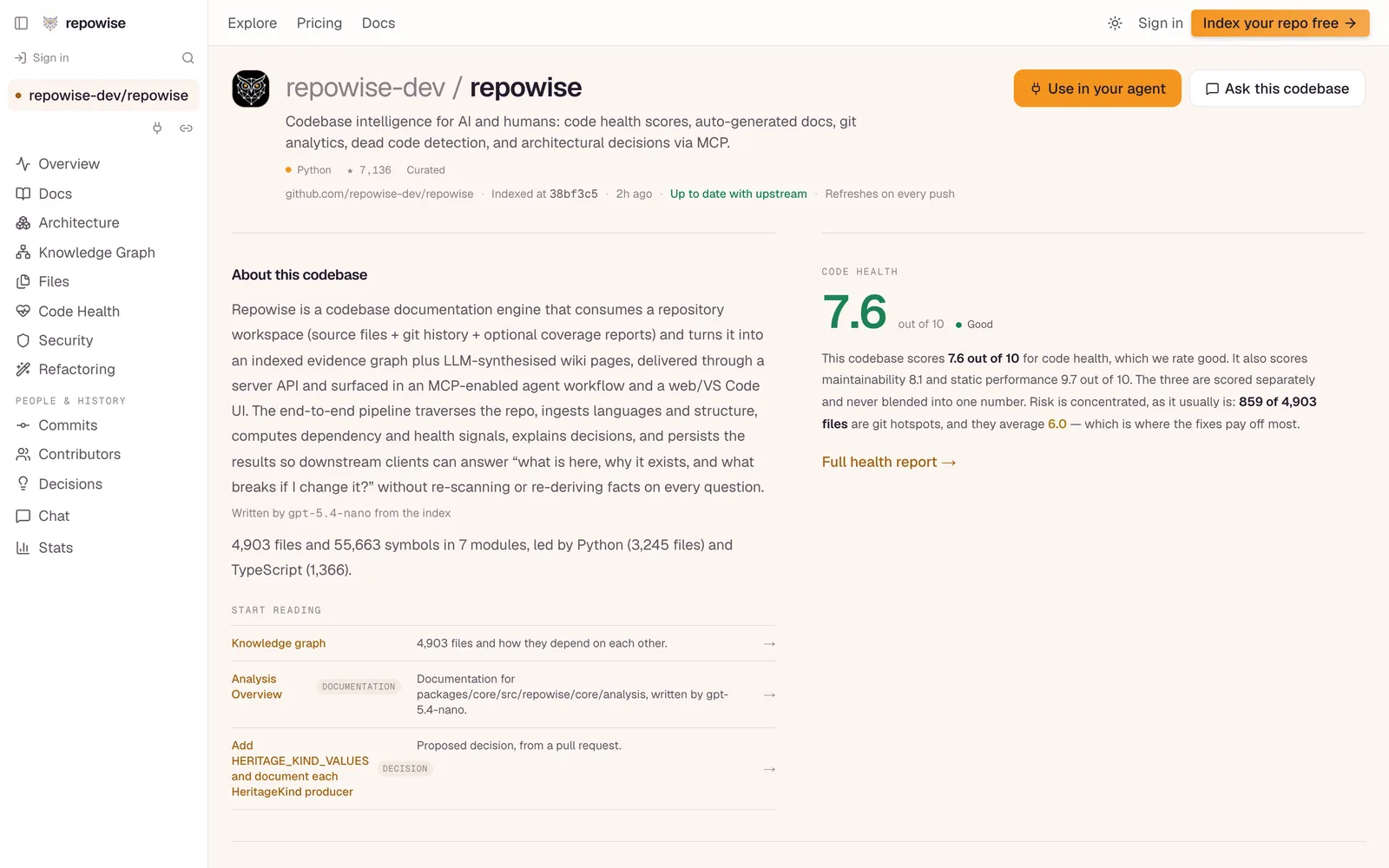
A public repo page anyone can open, no install and no account. Friday
The week, at a glance
Friday afternoon, the team looks back at the week: which repos got healthier, which files keep getting worse, and who owns what.
Team workspaces put every repo in one place, indexed once and shared with every member, with health over time and rollups across repos.
Why the laptop can't
Every laptop keeps its own index at its own commit, so nobody looks at the same picture.
Teams. Pro has workspaces with a single owner.
How Teams works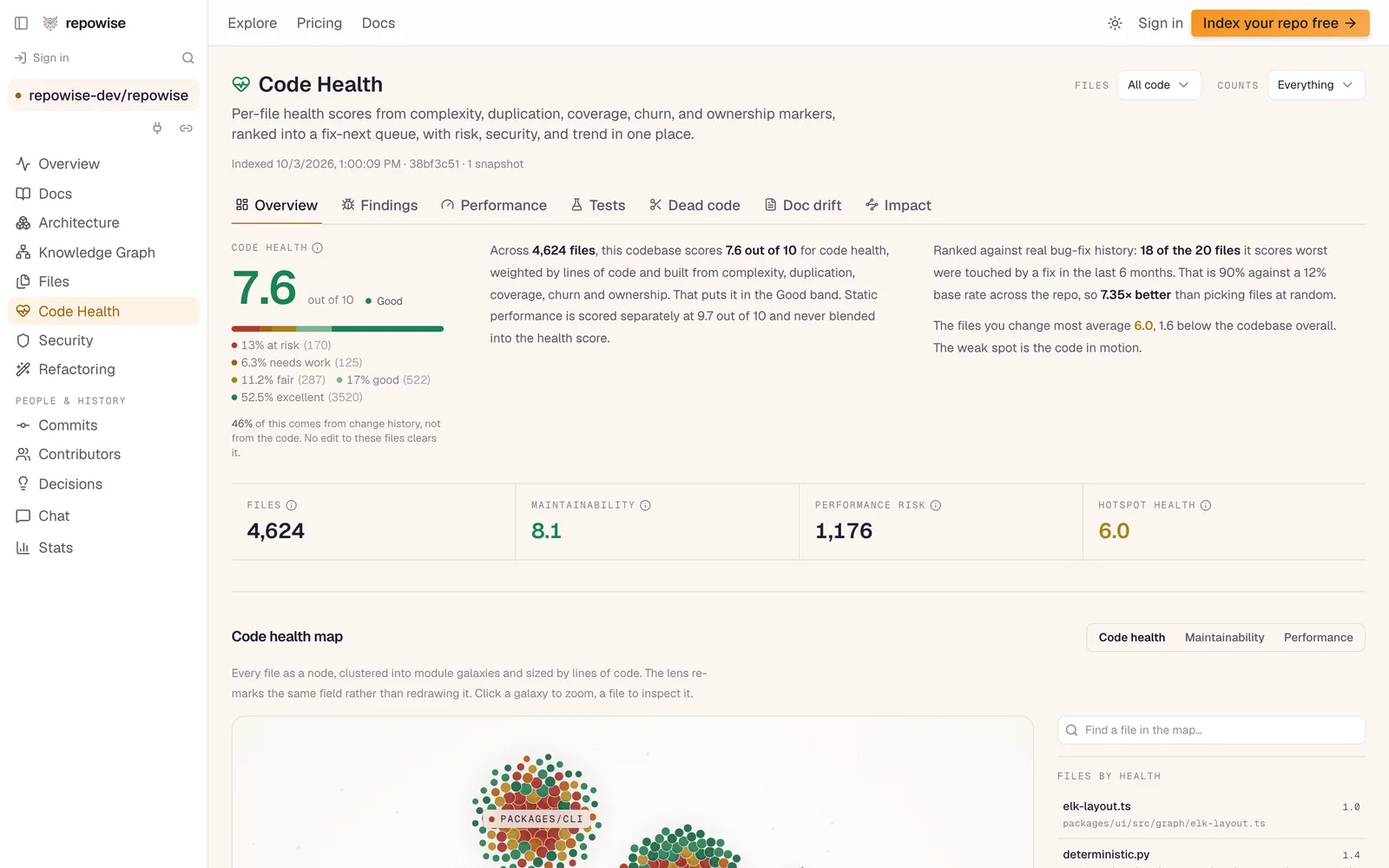
Code health for the whole repo, the same picture for everyone on the team. Always
No keys to manage
Nobody on the team pastes an API key, picks an embedding model or watches a token bill.
Models and search are included. Free accounts get 10 AI answers a month and docs built without an LLM. Pro adds $5 of AI credits every month, AI-written docs and unlimited chat.
Why the laptop can't
Written docs and answers from the CLI need your own LLM provider and key. Most people run it without one, and get keyword search and no written docs.
Free: 10 answers a month. Pro and Teams: monthly credits and AI-written docs.
Compare the plans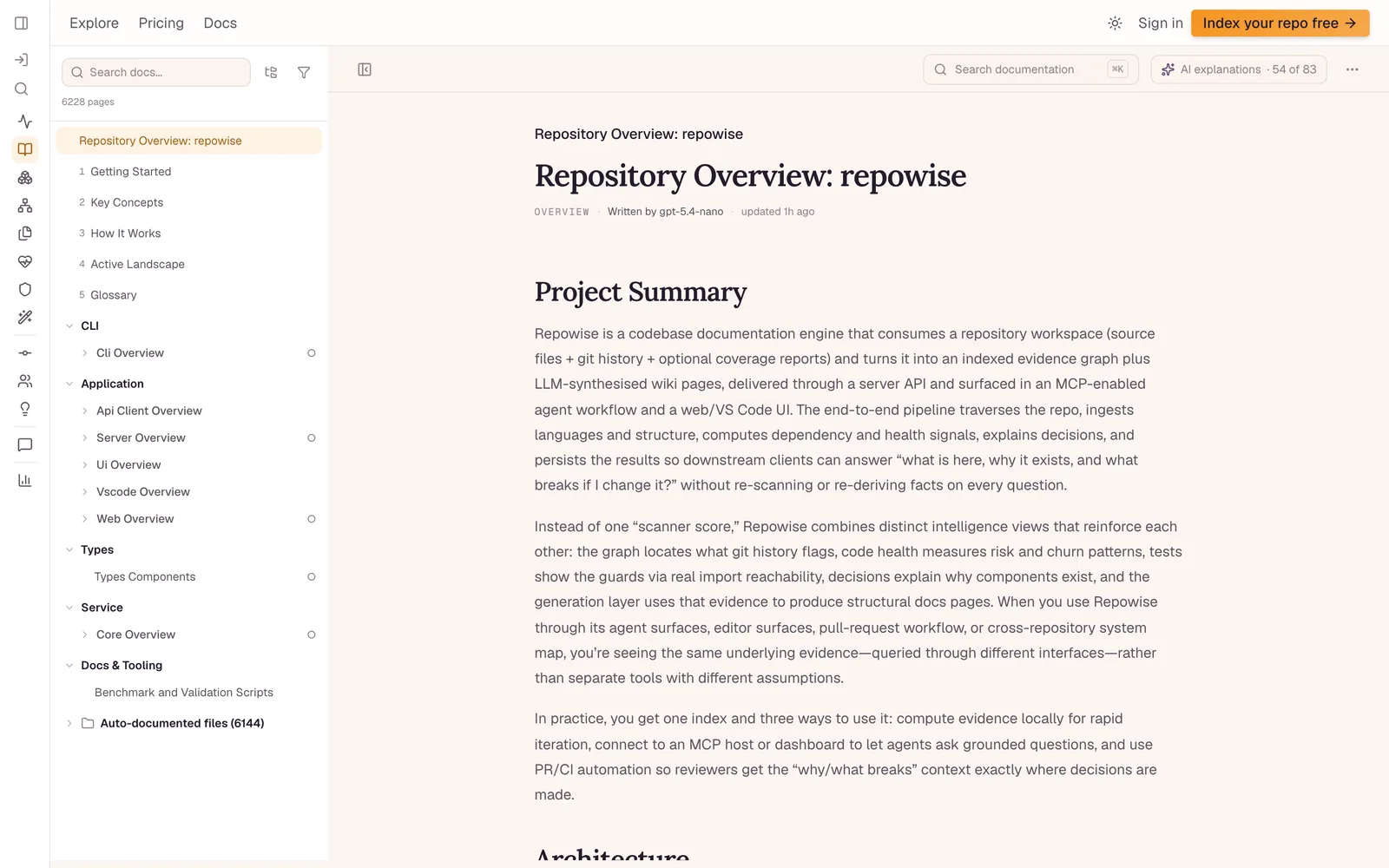
Docs written by a model on repowise.dev, with no key from the reader.
See your own repo hosted.
Paste a GitHub repo. A public one is indexed free, with no card.