On this page
To index a codebase with repowise, install it and run repowise init --yes --no-prose from the repository root. The run needs no API key, makes no model calls and sends nothing off your machine. It parses every file, builds the dependency graph, reads git history, scores code health, finds dead code and renders a wiki from that structure, all into a local .repowise/ directory.
Part of the codebase intelligence guide.
The quick answer
Three commands take a repository from nothing to an indexed one your agent can query (as of repowise 0.56, October 2026):
uv tool install repowise          # or: pipx install repowise
cd path/to/your-repo
repowise init --yes --no-prose
Python 3.11 or newer and Git are required. pipx install repowise and python3 -m pip install repowise work as well, and repowise --version confirms the install. A large repository takes a few minutes. When it finishes, restart your coding agent and ask it to call get_overview; an architecture summary back means the setup works.
What repowise init builds
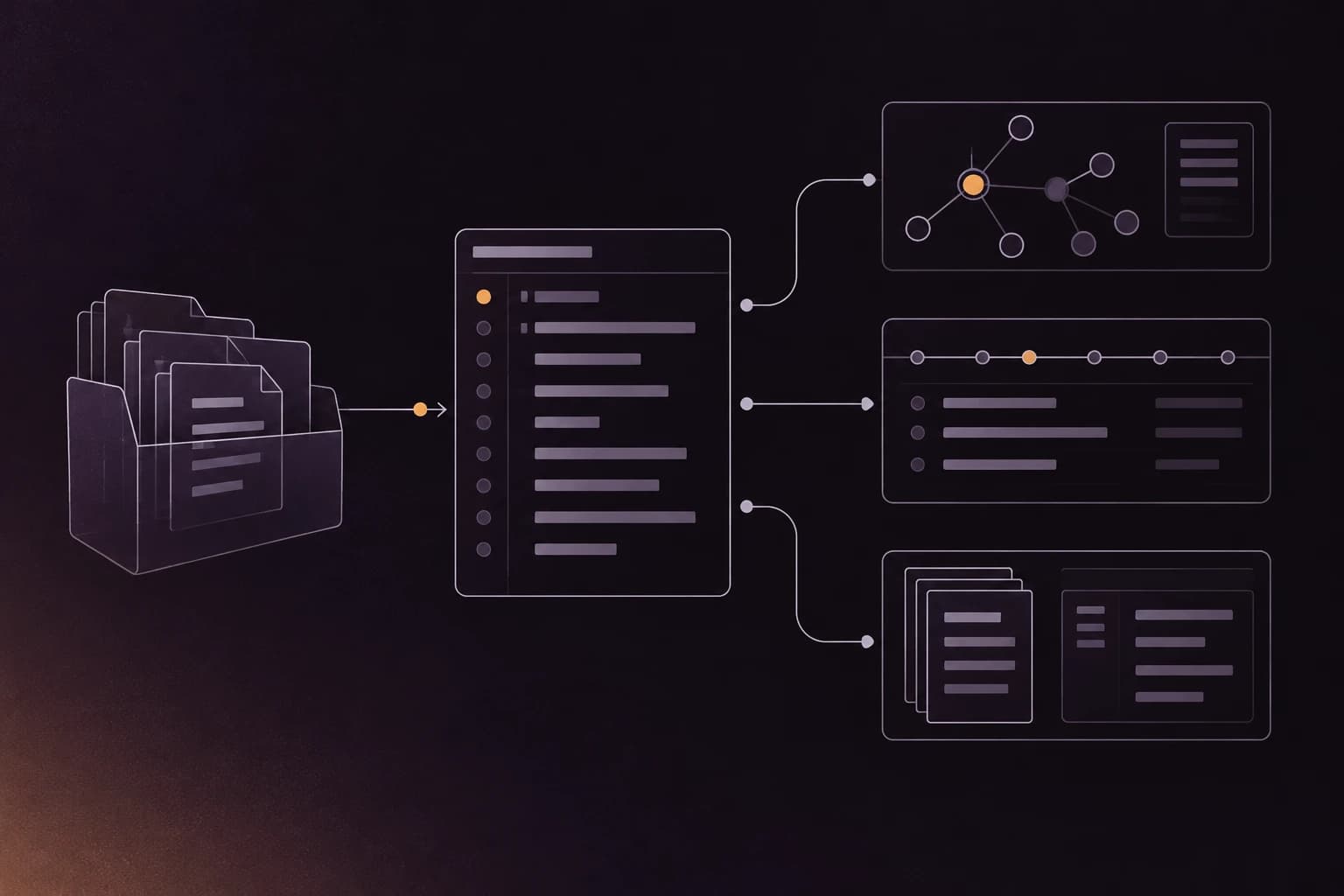
repowise init runs four phases, and the first three need no LLM. The CLI reference lists them in order.
| Phase | What it does | Output |
|---|---|---|
| Ingestion | Walks every file, parses it with tree-sitter across 27 languages, builds a two-tier graph of files and symbols, and mines git history for churn, hotspots, ownership and bus factor | The code graph and git metadata |
| Analysis | Detects dead code, extracts architectural decisions from inline markers, READMEs and commit history, finds communities in the graph and traces execution flows | Health scores, dead-code findings, decision records |
| Generation | Renders wiki pages for files, symbols, modules and the repository, from the parsed structure, or as model prose when you ask for it | The wiki |
| Persistence | Stores everything in .repowise/wiki.db, builds the search indexes and registers the MCP server and hooks | A queryable index |
Scroll the table sideways to see every column.
The graph is what makes the rest possible. A file's importance comes from how many files depend on it, not from its size, and the same graph answers "what breaks if I change this" for a person or an agent. See the graph layer for how nodes, edges and ranking work.
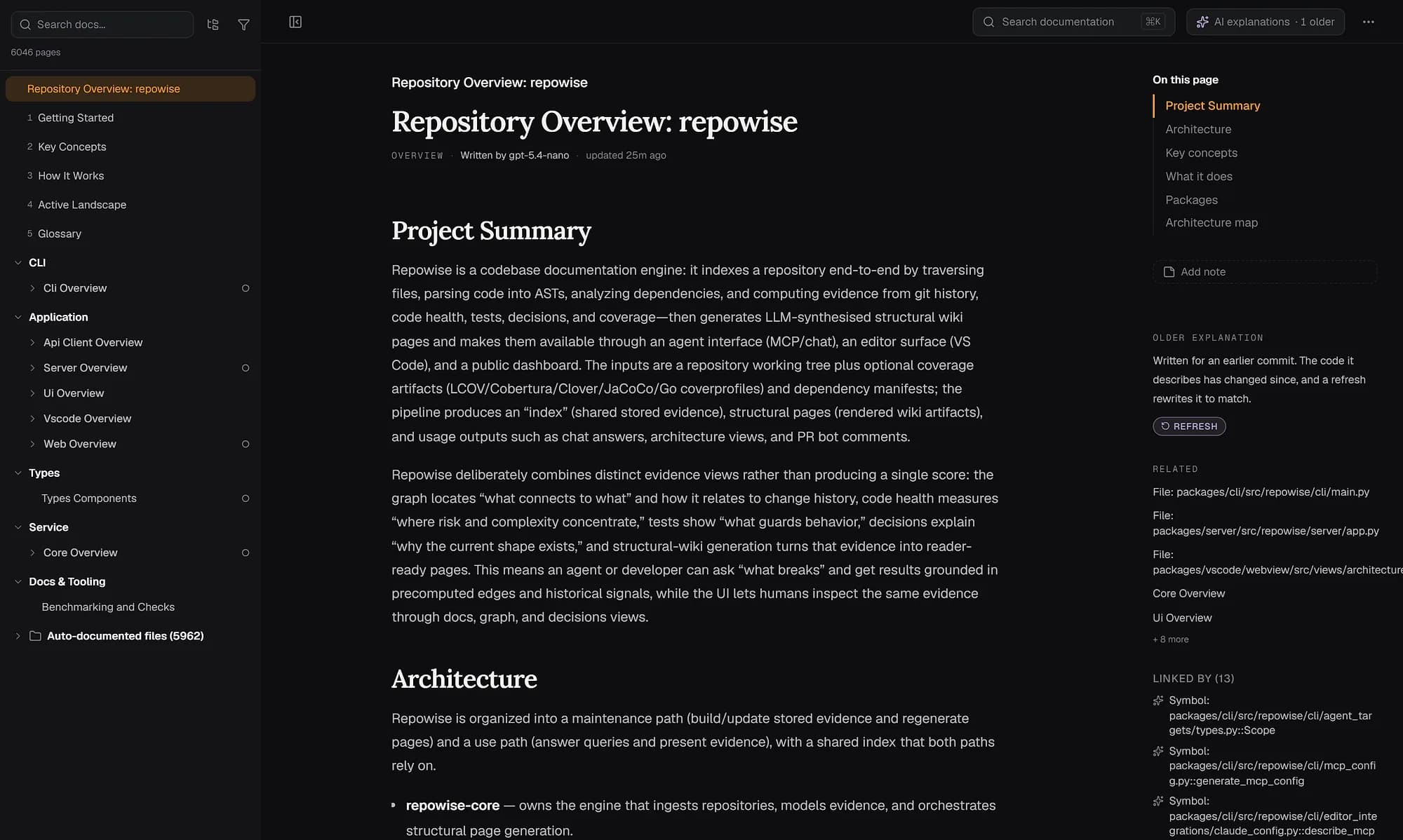
The wiki that repowise init renders, shown here for the repowise repository itself. File, symbol, API and infrastructure pages come from structure alone.
Install and run it
Choose how to index
Bare repowise init on a terminal opens a menu with three modes:
| Mode | Model calls | Use it when |
|---|---|---|
| Everything | Yes, model-written docs after you pick a provider | You want prose explaining how subsystems fit together |
| No prose (Index only) | None | You want the full index and a structural wiki, free and keyless |
| Advanced | Optional | You want every indexing and generation option |
Scroll the table sideways to see every column.
For scripts, CI and agent setups, skip the menu: repowise init --yes --no-prose. --yes never prompts, and --no-prose keeps the run keyless even when an API key happens to be set in the environment. Before any model call, init shows a cost estimate and waits for confirmation.
Let your agent run it
If you would rather not type the commands, paste this into Claude Code, Codex, Cursor or any MCP client opened in the repository:
Read https://docs.repowise.dev/setup.md and set up repowise in this repository.
The agent installs repowise, runs the keyless index, wires the MCP server into its own host and asks you one question: free structural docs or model-written ones. It never asks you to paste a key into the chat.
Flags worth knowing
| Flag | What it does |
|---|---|
--no-prose | Keyless, free run; the wiki is rendered from structure |
--dry-run | Shows the generation plan and cost estimate, writes no wiki |
--test-run | Documents only the top 10 files by PageRank, for a quick look |
-x / --exclude | Gitignore-style pattern to skip, repeatable: -x vendor/ -x "*.gen.go" |
--mode fast | Graph and essential git only, for very large repositories; upgrade later with repowise update --full |
--resume | Continues an interrupted run and writes only the pages that are missing |
--no-editor-setup | Writes only .repowise/: nothing into your editor config, the repo or git hooks |
--include-submodules | Includes git submodule directories, which are excluded by default |
Scroll the table sideways to see every column.
The full list is in the CLI reference. repowise also respects .gitignore, and the file-page count is capped automatically on very large repositories so the wiki stays publishable.
What gets created
Everything lives in .repowise/ at the repository root, and repowise adds that directory to .gitignore for you. It is a local cache, not a source of truth, so it is not committed.
| File | Holds |
|---|---|
wiki.db | SQLite database: pages, symbols, graph, git metadata, decisions |
lancedb/ | Vector index for semantic search |
config.yaml | Provider, model, embedder, exclude patterns and other settings |
state.json | Last synced commit, page counts, token usage |
mcp.json | MCP server configuration |
.env | API keys, gitignored automatically |
Scroll the table sideways to see every column.
Settings persist in config.yaml, so exclusions and options you pass once carry into later updates:
exclude_patterns:
  - "**/legacy/**"
  - "**/tests/fixtures/**"
Connect your coding agent
Unless you pass --no-editor-setup, init registers the MCP server for you. It writes .mcp.json and .claude/CLAUDE.md in the repo, .vscode/mcp.json for VS Code, the Claude Code and Claude Desktop entries, Claude Code hooks, and a git post-commit hook that runs repowise update after each commit.
Other hosts need one more command after init:
| Host | Command |
|---|---|
| Claude Code, VS Code (Copilot) | Nothing more |
| Codex | repowise agents add --target=codex --yes |
| Cursor | repowise agents add --target=cursor --yes |
| OpenCode | repowise agents add --target=opencode --yes |
| Any other MCP client | repowise agents print-config claude-code, then paste the entry into the client |
Scroll the table sideways to see every column.
Restart the host after setup, since most agents read MCP config only at startup. The server exposes ten tools by default, among them get_overview for the architecture, get_answer for how and where questions, get_context for files and symbols, get_risk and get_change_risk for review priority, get_health, get_dead_code and get_why for decisions. The MCP tools reference lists each one, and how repowise reaches your agent shows what it returns.
The same answers are on the command line, with no agent involved:
repowise health            # lowest-scoring files, and why
repowise dead-code         # what nothing references
repowise risk main..HEAD   # review priority for your branch
repowise serve             # dashboard at http://localhost:3000
repowise serve starts the API on port 7337 and the dashboard on port 3000. The dashboard needs Node.js 20 or newer and downloads once, about 50 MB. To see the output before you run it yourself, browse the live examples, such as the FastAPI architecture view.
Add model-written docs later
The keyless index is complete on its own; model prose is an upgrade you can add without re-indexing. repowise generate rewrites the subsystem pages, the repository overview, the architecture diagram and the onboarding collection as prose, reusing the index you already have. Put the provider key in .repowise/.env, preview the cost, then write:
repowise generate --provider anthropic --dry-run   # cost estimate only
repowise generate --provider anthropic             # asks before spending
Supported providers include Anthropic, OpenAI, Gemini, OpenRouter, DeepSeek and local Ollama, so code can stay on your machine. claude_cli, codex_cli and opencode use a login you already have. Full-text search works either way; for semantic search, configure an embedder (--embedder on init, or REPOWISE_EMBEDDER) and run repowise reindex.
Keep the index fresh
After the first run, the post-commit hook keeps the index current. repowise update re-processes only what changed since the last synced commit, so it is fast and, without a provider, free. Run it by hand, or keep it running while you edit:
repowise update     # incremental catch-up
repowise watch      # update continuously while you edit
repowise status     # what is indexed and how far behind HEAD
repowise hook uninstall removes the hook. A new git worktree seeds its index from the main checkout instead of re-indexing. For webhook and polling sync across many repositories, see Auto-Sync.
Pitfalls
repowise: command not foundafter install. The install directory is not onPATH. Runuv tool update-shell(uv) orpipx ensurepath(pipx), open a new shell and restart the agent host, which startsrepowiseby name.- The agent does not see the tools. Restart the host first. If they are still missing,
repowise doctor --repairre-registers the Claude Code entry and refreshes each wired agent's config. - The agent answers from old code.
repowise statusshows drift from HEAD, andrepowise updatecatches up. - A run was interrupted, or a provider outage left pages missing.
repowise init --resumewrites only the absent pages and pays for nothing twice. - Rate limits during model-written docs. Lower
--concurrency(the default is 10) or switch to a local provider such as Ollama. - A second repo repoints the MCP entry. Each Claude config holds one
repowiseentry, so indexing another repository moves it. Use--no-editor-setupfor scratch clones and CI.
repowise doctor is the first stop for any of these: it checks the install, keys, index drift, store health and each agent's MCP entry.
FAQ
- What does repowise init do?
- It indexes the repository in one command: it parses every file into a dependency graph, reads git history for churn and ownership, scores code health, finds dead code, extracts architectural decisions and renders a wiki. Results go to a local
.repowise/directory, and the MCP server is registered with your coding agent. - Does repowise init need an API key?
- No.
repowise init --yes --no-proseruns entirely without a key or model calls. A key is only needed if you want model-written prose, and init shows a cost estimate and asks before spending anything. - How long does repowise init take?
- A large repository takes a few minutes for the keyless run. For very large repositories,
--mode fastbuilds the graph and essential git data first, andrepowise update --fullcompletes the rest later. - Which languages does repowise index?
- repowise parses 27 languages to a full AST, and 14 of them reach the Full tier, including Python, TypeScript, Go and Rust. The language support layer lists each tier.
- Does repowise send my code anywhere?
- Not in the keyless run. Nothing leaves your machine when no provider is configured. With a provider, only the content needed to write each page goes to that provider, and a local Ollama model keeps even that on your machine.
- How do I connect Claude Code or Cursor?
- Claude Code and VS Code are wired by
init. For Cursor runrepowise agents add --target=cursor --yes, then restart the host and ask it to callget_overview.repowise agentslists every supported host and whether it is wired. - How do I keep the index up to date?
initinstalls a post-commit hook that runsrepowise updateafter each commit. You can also runrepowise updateorrepowise watchyourself, andrepowise statusshows how far the index is behind HEAD.- Can I exclude folders from indexing?
- Yes. Pass
-x vendor/(repeatable) oninit, or listexclude_patternsin.repowise/config.yaml. repowise already respects.gitignore.